 Martillolaud
InstalaciónInstallation
- Descarga el zip de tu sistema y descomprímelo.
- En macOS, abre
ARCA.pkgy sigue los pasos: instala Arca en AU, VST3 y AAX. - En Windows y Linux, copia
ARCA.vst3en la carpeta de plugins VST3:
WindowsC:\Program Files\Common Files\VST3· Linux~/.vst3 - Abre tu DAW y vuelve a buscar plugins si no aparece. Está bajo el fabricante Martillolaud.
- Download the zip for your system and unzip it.
- On macOS, open
ARCA.pkgand follow the steps: it installs Arca as AU, VST3 and AAX. - On Windows and Linux, copy
ARCA.vst3to your VST3 plugin folder:
WindowsC:\Program Files\Common Files\VST3· Linux~/.vst3 - Open your DAW and rescan plugins if it does not show up. It is listed under the manufacturer Martillolaud.
Qué es ARCAWhat ARCA is
ARCA es un contenedor de efectos JSFX. Viene vacío: tú cargas los .jsfx que tengas o los que escribas, y suenan dentro de tu DAW como cualquier otro plugin. El código se compila fuera del hilo de audio y el cambio de efecto se hace con un fundido corto, sin chasquidos.
ARCA is a JSFX effect host. It ships empty: you load the .jsfx files you have or write, and they run inside your DAW like any other plugin. Code is compiled off the audio thread and effects swap with a short crossfade, with no clicks.
Sirve en mezcla, mastering y diseño de sonido para llevar a cualquier DAW esa herramienta JSFX que ya usas, o para probar en tu sesión el efecto que estás escribiendo. Si el efecto dibuja su propia interfaz, ARCA la muestra; si no, monta una rejilla de perillas, menús y conmutadores con sus sliders. Y si el efecto del master espera cada stem por separado, ARCA le lleva las pistas sin enrutados raros, en cualquier DAW.
Use it in mixing, mastering and sound design to bring a JSFX tool you already rely on into any DAW, or to try the effect you are writing inside a real session. If the effect draws its own interface, ARCA shows it; if not, it builds a grid of knobs, menus and switches from its sliders. And if the effect on the master expects each stem separately, ARCA delivers the tracks to it with no tricky routing, in any DAW.
- Interfaz propia del efecto
- Los efectos con sección
@gfxse ven y se manejan con ratón y teclado, como fueron diseñados. - 256 parámetros fijos
- Cada slider es un parámetro del DAW (1 a 256), con nombre, para automatizar. BYPASS va aparte.
- Sesiones que abren en otro equipo
- La sesión guarda la ruta del efecto y una copia de su texto y de sus
import. - Errores con su línea
- Si un efecto no compila, sigue sonando el anterior y el pie muestra el error y la línea.
- Latencia informada
- La latencia que declara el efecto llega al DAW para la compensación.
- Envío de stems
- Lleva cada pista a su par de canales en el ARCA del master, para JSFX que suman stems (ver Envío de stems).
- The effect's own interface
- Effects with a
@gfxsection are shown and played with mouse and keyboard, as designed. - 256 fixed parameters
- Every slider is a named DAW parameter (1 to 256), ready to automate. BYPASS is separate.
- Sessions that open on another machine
- The session stores the effect's path plus a copy of its text and its
importfiles. - Errors with line numbers
- If an effect fails to compile, the previous one keeps playing and the footer shows the error and its line.
- Reported latency
- The latency the effect declares is passed to the DAW for compensation.
- Stem sending
- Routes each track to its own channel pair in the ARCA on the master, for JSFX that sum stems (see Stem sending).
Cargar un efectoLoading an effect
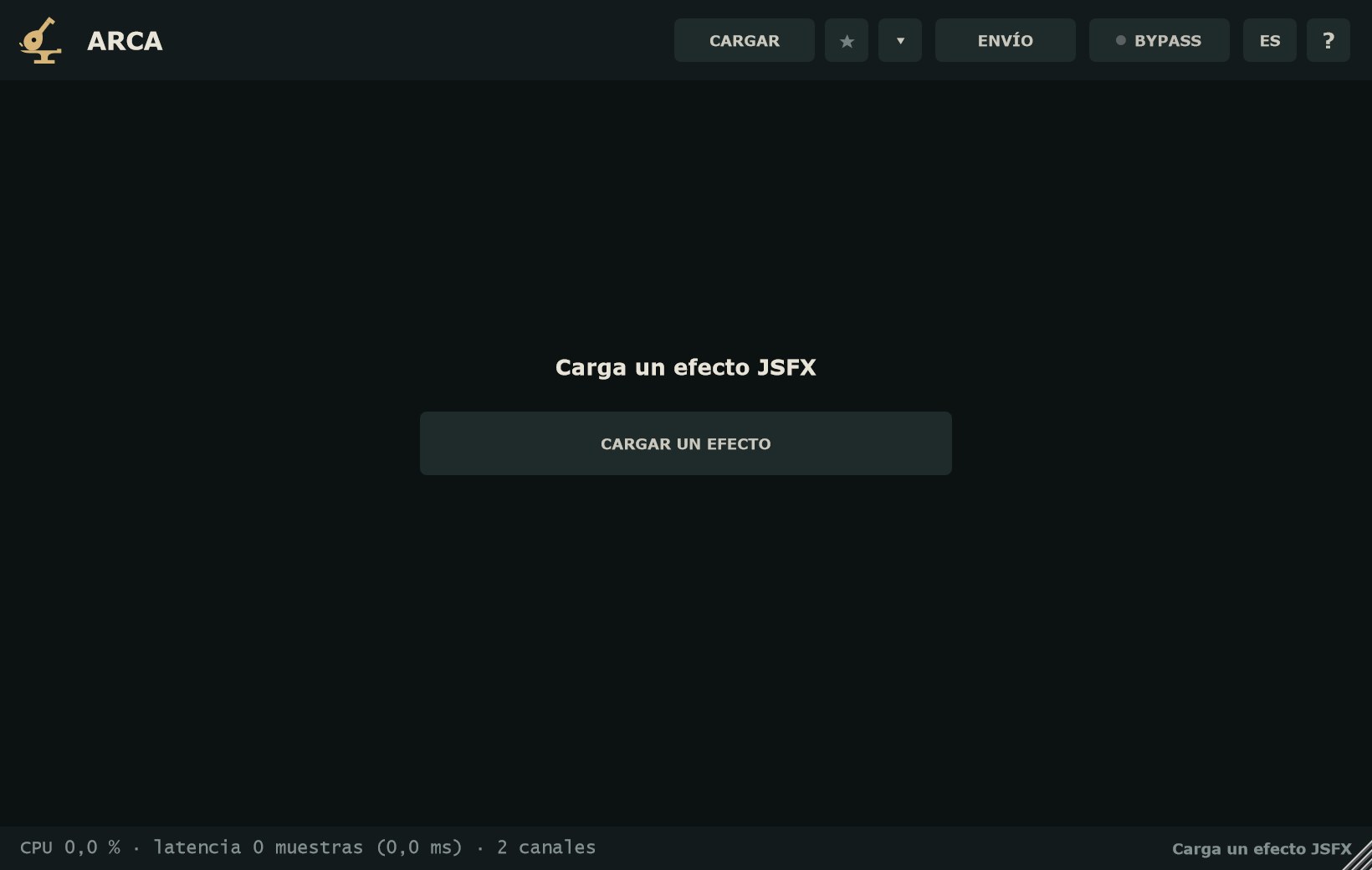
Al abrir ARCA ves «Carga un efecto JSFX» y el botón CARGAR UN EFECTO. Hay tres formas de cargar:
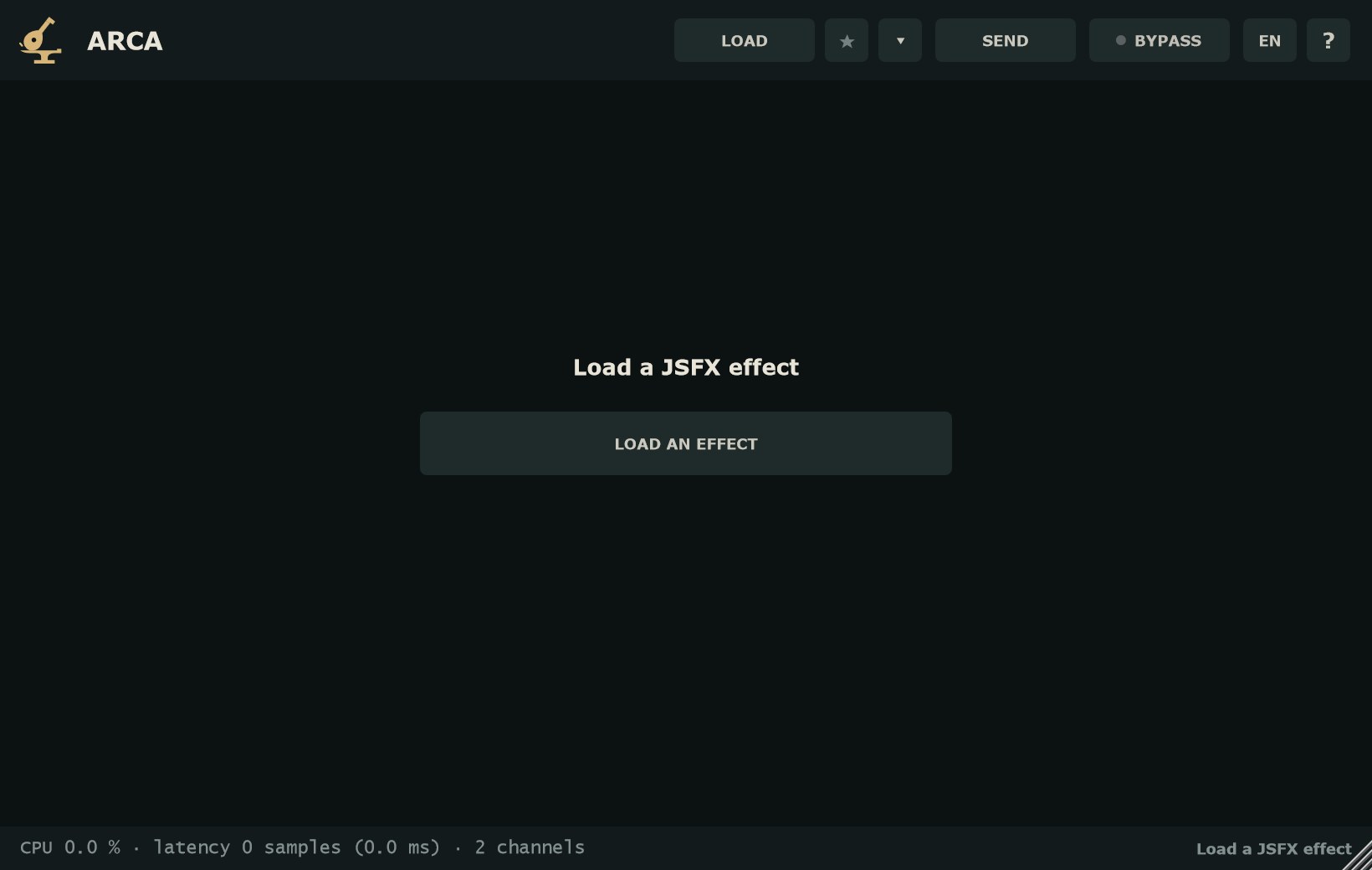
When you open ARCA you see "Load a JSFX effect" and the LOAD AN EFFECT button. There are three ways to load:
- CARGAR / CARGAR UN EFECTO
- Abre el selector de archivos. Acepta archivos .jsfx y también archivos sin extensión. Empieza en la carpeta del efecto actual.
- Arrastrar y soltar
- Suelta el archivo sobre la ventana de ARCA. Si sueltas varios, se carga el primero.
- Menú ▾ → Recientes / Favoritos
- Los 10 últimos efectos abiertos y tu lista de favoritos.
- LOAD / LOAD AN EFFECT
- Opens the file browser. It accepts .jsfx files and files with no extension. It starts in the current effect's folder.
- Drag and drop
- Drop the file onto the ARCA window. If you drop several, the first one loads.
- ▾ menu → Recent / Favourites
- The last 10 effects you opened and your favourites list.
Al terminar, el pie dice «Cargado:» y el nombre del efecto, y la cabecera muestra su nombre (desc:). Si el efecto no tiene nombre, sale «(sin nombre)».
Once done, the footer reads "Loaded:" plus the effect's name, and the header shows its name (desc:). If the effect has no name, it reads "(untitled)".
CabeceraHeader
- CARGAR
- Abre un efecto JSFX (.jsfx o sin extensión).
- ★
- Añade o quita el efecto cargado de favoritos. En turquesa, el efecto está en favoritos.
- ▾
- Recientes, favoritos y carpetas de efectos (ver Carpetas de efectos).
- ENVÍO
- Manda la salida de la pista al ARCA del master, como stem 1 a 8. Con envío, el botón dice → STEM N (ver Envío de stems).
- BYPASS
- Deja pasar la señal sin procesar, con fundido y con la entrada retrasada lo mismo que la latencia del efecto, para que no se desplace en el tiempo. Es un parámetro automatizable.
- ES / EN
- Cambia el idioma de la interfaz para todas las instancias. De serie, el del sistema.
- ?
- Acerca de: versión y créditos.
- LOAD
- Opens a JSFX effect (.jsfx or no extension).
- ★
- Adds or removes the loaded effect from favourites. Turquoise means it is a favourite.
- ▾
- Recent, favourites and effects folders (see Effects folders).
- SEND
- Sends the track's output to the ARCA on the master as stem 1 to 8. With a send, the button reads → STEM N (see Stem sending).
- BYPASS
- Passes the signal unprocessed, with a crossfade and with the input delayed by the effect's latency so it stays in time. It is an automatable parameter.
- ES / EN
- Switches the interface language for every instance. Defaults to the system language.
- ?
- About: version and credits.
Controles del efectoEffect controls
Cuando el efecto no dibuja su interfaz, ARCA convierte cada slider en un control. El tipo sale solo de cómo está escrito el slider:
When the effect has no interface of its own, ARCA turns each slider into a control. The type follows from how the slider is written:
- Perilla
- Para sliders con rango. Debajo, el valor con su unidad. En rangos que cruzan el cero (por ejemplo −24 a +24 dB), el arco sale del centro.
- Menú
- Para sliders con lista de opciones y para sliders de archivo (muestra los archivos de su carpeta; «(sin archivos)» si está vacía).
- Conmutador
- Para sliders de 0 a 1 en pasos de 1: un botón que se enciende y se apaga.
- Knob
- For sliders with a range. The value and its unit sit below. On ranges that cross zero (for example −24 to +24 dB), the arc starts from the centre.
- Menu
- For sliders with a list of options and for file sliders (it lists the files in its folder; "(no files)" if empty).
- Switch
- For 0 to 1 sliders in steps of 1: a button that turns on and off.
GestosGestures
- Arrastrar
- Mueve la perilla (arriba/abajo o izquierda/derecha).
- Shift + arrastrar
- Ajuste fino: diez veces más lento.
- Rueda
- Mueve la perilla en pasos.
- Doble clic
- Abre un campo para escribir el valor. Acepta coma o punto decimal y el signo −. Intro confirma; Esc cancela.
- Drag
- Moves the knob (up/down or left/right).
- Shift + drag
- Fine adjustment: ten times slower.
- Wheel
- Moves the knob in steps.
- Double-click
- Opens a field to type the value. Comma or point decimals and the − sign are accepted. Enter confirms; Esc cancels.
La rejilla se adapta al ancho de la ventana y se desplaza si hay muchos controles. Los sliders ocultos del efecto (los que empiezan por «-») no salen en la rejilla, pero siguen siendo parámetros del DAW.
The grid adapts to the window width and scrolls when there are many controls. Hidden sliders (those starting with "-") are left out of the grid but remain DAW parameters.
Interfaz propia del efectoThe effect's own interface
Si el efecto tiene sección @gfx, ARCA la dibuja a 30 fotogramas por segundo mientras la ventana está abierta, y ajusta la ventana al tamaño que pide el efecto. Responde al ratón (clic, arrastre, rueda, modificadores), al teclado, a los menús del propio efecto y a los archivos que sueltes, si el efecto los admite. Las imágenes que trae el efecto (PNG, JPG, GIF) se cargan solas.
If the effect has a @gfx section, ARCA draws it at 30 frames per second while the window is open, and sizes the window to what the effect asks for. It responds to the mouse (click, drag, wheel, modifiers), the keyboard, the effect's own menus and dropped files, if the effect accepts them. Images bundled with the effect (PNG, JPG, GIF) load on their own.
- CONTROLES ▾ / ▴
- Bajo la interfaz. Despliega todos los sliders del efecto, también los que su interfaz no enseña, para automatizarlos o escribir valores. Al abrirlo, la ventana crece hacia abajo; la interfaz no se encoge. De serie está plegado.
- CONTROLS ▾ / ▴
- Below the interface. Unfolds every slider in the effect, including those its interface hides, so you can automate them or type values. Opening it grows the window downwards; the interface does not shrink. Folded by default.
Si la interfaz tiene un error, ARCA lo avisa en naranja («La interfaz del efecto no se puede dibujar…»), el efecto suena igual y debajo aparecen sus controles.
If the interface has an error, ARCA flags it in orange ("The effect's interface can't be drawn…"), the effect still plays and its controls appear below.
Pie y avisosFooter and notices
- CPU
- Porcentaje de un núcleo que usa el efecto.
- latencia
- En muestras y en ms, la que declara el efecto y se informa al DAW.
- canales
- Los canales del bus: de 1 a 8, con la misma entrada y salida.
- RED
- Solo con envío de stems: en el master, «RED: stems 1 2 3…» con las que llegan; en la pista, «ENVÍO sin receptor» si ningún ARCA las recibe.
- Estado
- A la derecha: «Cargado: …», errores con archivo y línea, o avisos en naranja. Si el efecto produce muestras no válidas, se cambian por 0 y el pie dice cuántas.
- CPU
- Share of one core used by the effect.
- latency
- In samples and ms: what the effect declares and the DAW is told.
- channels
- Bus channels: 1 to 8, with matching input and output.
- NET
- Only with stem sending: on the master, "NET: stems 1 2 3…" with the ones arriving; on the track, "SEND with no receiver" if no ARCA receives them.
- Status
- On the right: "Loaded: …", errors with file and line, or notices in orange. If the effect outputs invalid samples, they are replaced with 0 and the footer says how many.
Envío de stemsStem sending
Algunos JSFX van en el master y esperan cada stem en su propio par de canales: la stem 1 en los canales 3-4, la 2 en los 5-6, y así hasta la 8 en los 17-18. Así trabajan, por ejemplo, los sumadores de stems. En REAPER eso se arma con el enrutado de la pista; en Logic, Pro Tools o Ableton no hay forma directa. Desde la versión 1.1, ARCA hace ese enrutado.
Some JSFX sit on the master and expect each stem on its own channel pair: stem 1 on channels 3-4, stem 2 on 5-6, and so on up to stem 8 on 17-18. Stem summers work this way, for example. In REAPER you build that with track routing; Logic, Pro Tools or Ableton have no direct way. Since version 1.1, ARCA does that routing.
- En cada pista (envía)
- Pon un ARCA como último inserto y elige en ENVÍO el número de stem: Stem 1 (3-4) … Stem 8 (17-18). El botón cambia a → STEM N. Si el efecto de esa pista tiene su propio número de stem, pon el mismo en los dos.
- En el master (recibe)
- Carga el JSFX en un ARCA del master. Recibe solo: si el efecto pide más entradas que canales tiene la pista, ARCA le pasa cada stem en sus canales. No hay nada que activar.
- On each track (sends)
- Put an ARCA as the last insert and pick the stem number in SEND: Stem 1 (3-4) … Stem 8 (17-18). The button changes to → STEM N. If the effect on that track has its own stem number, set the same one in both.
- On the master (receives)
- Load the JSFX in an ARCA on the master. It receives on its own: if the effect asks for more inputs than the track has channels, ARCA feeds each stem into its channels. Nothing to switch on.
- Mientras envía, la salida de ese ARCA queda en silencio, para que el master no reciba la stem dos veces. Por eso va el último: lo que pongas detrás, fader incluido, ya no suena. Deja la pista conectada al master como siempre.
- Varias pistas al mismo número de stem se suman. Una pista mono se envía igual a los dos lados.
- Con BYPASS, la pista sigue enviando su audio sin procesar.
- El envío se guarda en la sesión. No es un parámetro automatizable.
- No añade latencia: el master usa lo que las stems mandaron en el mismo bloque.
- Solo un ARCA recibe a la vez. Si pones otro, su pie dice «Otro ARCA ya recibe las stems».
- Las pistas y el master tienen que estar en el mismo DAW y en el mismo formato de plugin (todos VST3, todos AU o todos AAX).
- While it sends, that ARCA's output is silent, so the master doesn't get the stem twice. That's why it goes last: anything after it, fader included, no longer sounds. Keep the track routed to the master as usual.
- Several tracks on the same stem number are summed. A mono track is sent to both sides.
- With BYPASS, the track keeps sending its unprocessed audio.
- The send is stored in the session. It is not an automatable parameter.
- It adds no latency: the master uses what the stems sent in the same block.
- Only one ARCA receives at a time. If you add another, its footer says "Another ARCA is already receiving the stems".
- The tracks and the master must be in the same DAW and the same plugin format (all VST3, all AU or all AAX).
Avisos en el pieFooter notices
- RED: esperando stems
- El master está listo para recibir, pero todavía no llega nada. Dale play.
- Stem N llega tarde
- El DAW procesó esa pista después del master, y ese trozo sonó en silencio. Revisa que la pista salga al master y no a otro bus.
- Las stems tienen latencias distintas
- Algunas pistas llevan plugins con latencia antes de ARCA y otras no. Pueden desfasarse entre sí.
- ENVÍO sin receptor
- En la pista: ningún ARCA del master está recibiendo.
- NET: waiting for stems
- The master is ready to receive but nothing arrives yet. Press play.
- Stem N arrives late
- The DAW processed that track after the master, and that stretch came out silent. Check that the track goes to the master, not to another bus.
- Stems have different latencies
- Some tracks have plugins with latency before ARCA and others don't. They may drift out of phase.
- SEND with no receiver
- On the track: no ARCA on the master is receiving.
También desde la 1.1, los JSFX que comparten memoria entre instancias con un nombre (options:gmem=NOMBRE) se comunican entre los ARCA de la sesión, como en REAPER.
Also since 1.1, JSFX that share memory between instances by name (options:gmem=NAME) talk to each other across the ARCA instances in the session, as in REAPER.
Carpetas de efectos y sesionesEffects folders and sessions
Muchos efectos usan import para incluir librerías, o leen archivos (impulsos, tablas). ARCA los busca en la carpeta del propio efecto y en la carpeta de efectos JSFX habitual del sistema, si existe. Desde el menú ▾ puedes añadir las tuyas:
Many effects use import to pull in libraries, or read files (impulses, tables). ARCA looks for them in the effect's own folder and in the system's usual JSFX effects folder, if there is one. From the ▾ menu you can add your own:
- Recargar desde el disco
- Vuelve a leer el archivo del efecto. Útil mientras lo editas.
- Añadir carpeta de efectos…
- Añade una carpeta donde buscar
importy archivos. - Quitar mis carpetas de efectos
- Borra las carpetas que añadiste; quedan las de serie.
- Reload from disk
- Reads the effect file again. Handy while you edit it.
- Add effects folder…
- Adds a folder to search for
importfiles and data. - Remove my effects folders
- Clears the folders you added; the default ones stay.
La sesión guarda la ruta del efecto, una copia exacta de su texto y de sus import, los valores y el estado interno del efecto (@serialize). Si al abrir la sesión el archivo no está, ARCA usa la copia y lo dice en el pie. Si el archivo cambió en el disco, también usa la copia; con «Recargar desde el disco» cargas la versión nueva.
The session stores the effect's path, an exact copy of its text and its import files, the values and the effect's internal state (@serialize). If the file is missing when the session opens, ARCA uses the copy and says so in the footer. If the file changed on disk, it also uses the copy; "Reload from disk" loads the new version.
Paso a paso: un JSFX en tu bus de mezclaStep by step: a JSFX on your mix bus
- Inserta ARCA en el bus.
- Pulsa CARGAR y elige el .jsfx, o arrástralo a la ventana.
- Si el efecto usa
importy el pie da un error de archivo, añade su carpeta con ▾ → Añadir carpeta de efectos… y pulsa ▾ → Recargar desde el disco. - Ajusta con la interfaz del efecto o con las perillas. Shift + arrastrar para el detalle; doble clic para escribir un valor exacto.
- Compara con BYPASS: queda alineado en el tiempo aunque el efecto tenga latencia.
- Para automatizar, busca en el DAW el parámetro con el número y el nombre del slider (por ejemplo «2: Ratio»).
- Marca ★ si lo vas a usar a menudo.
- Insert ARCA on the bus.
- Press LOAD and pick the .jsfx, or drag it onto the window.
- If the effect uses
importand the footer shows a file error, add its folder with ▾ → Add effects folder… and press ▾ → Reload from disk. - Adjust with the effect's interface or the knobs. Shift + drag for detail; double-click to type an exact value.
- Compare with BYPASS: it stays time-aligned even when the effect has latency.
- To automate, look in your DAW for the parameter with the slider's number and name (for example "2: Ratio").
- Tick ★ if you will use it often.
Preguntas frecuentesFAQ
¿Es gratis de verdad?Is it really free?
Sí. Sin número de serie, sin avisos y sin límite de tiempo.
Yes. No serial number, no nag screens and no time limit.
¿Trae efectos?Does it come with effects?
No. ARCA viene vacío; carga los .jsfx que tengas o escribas.
No. ARCA ships empty; load the .jsfx files you have or write.
¿En qué formatos y sistemas funciona?Which formats and systems?
VST3 en Windows, macOS y Linux (Linux en beta); AU y AAX en macOS.
VST3 on Windows, macOS and Linux (Linux in beta); AU and AAX on macOS.
¿Por qué hay 256 parámetros?Why 256 parameters?
Un JSFX puede tener hasta 256 sliders y el DAW necesita una lista fija. Así la automatización de una sesión sigue en su sitio aunque cambies de efecto o de versión. Los que el efecto no usa aparecen como «-».
A JSFX can have up to 256 sliders and the DAW needs a fixed list. This keeps a session's automation in place across effects and versions. Unused ones show as "-".
Mi efecto no compila. ¿Qué hago?My effect won't compile. What now?
Lee el pie: dice el archivo y la línea. Lo más habitual es un import que no se encuentra; añade su carpeta desde ▾ y recarga. Mientras tanto sigue sonando el efecto anterior.
Check the footer: it names the file and line. The usual cause is an import that cannot be found; add its folder from ▾ and reload. Meanwhile the previous effect keeps playing.
¿Cuánta CPU usa?How much CPU does it use?
El consumo de CPU es muy bajo. Lo que gaste cada efecto depende de su código; el pie lo muestra en todo momento.
CPU use is very low. Each effect's load depends on its code; the footer shows it at all times.