 Martillolaud
InstalaciónInstallation
- Descarga el zip de tu sistema y descomprímelo.
- En macOS, abre
DIAPASON.pkgy sigue los pasos: instala Diapasón en AU, VST3 y AAX. - En Windows y Linux, copia
DIAPASON.vst3en la carpeta de plugins VST3:
WindowsC:\Program Files\Common Files\VST3· Linux~/.vst3 - Abre tu DAW y vuelve a buscar plugins si no aparece. Está bajo el fabricante Martillolaud.
- Download the zip for your system and unzip it.
- On macOS, open
DIAPASON.pkgand follow the steps: it installs Diapasón as AU, VST3 and AAX. - On Windows and Linux, copy
DIAPASON.vst3to your VST3 plugin folder:
WindowsC:\Program Files\Common Files\VST3· Linux~/.vst3 - Open your DAW and rescan plugins if it does not show up. It is listed under the manufacturer Martillolaud.
Qué es DIAPASÓNWhat DIAPASÓN is
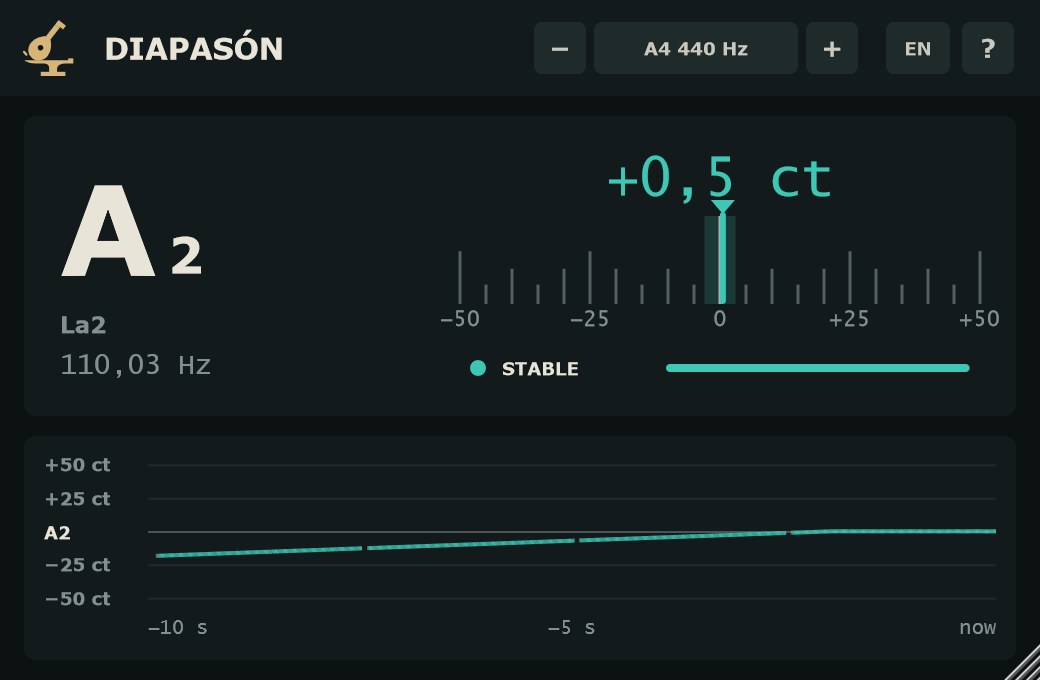
DIAPASÓN es un afinador cromático. Enseña la nota, la desviación en cents con un decimal y la frecuencia en Hz con dos. Debajo, un historial del tono de los últimos 10 segundos: ves si una nota entra afinada, si se cae al final o cuánto vibrato lleva.
DIAPASÓN is a chromatic tuner. It shows the note, the deviation in cents to one decimal and the frequency in Hz to two. Below it, a pitch history of the last 10 seconds shows whether a note lands in tune, sags at the end, or how much vibrato it carries.
Lee de 30 Hz a 2 kHz. Sirve para afinar instrumentos antes de grabar, revisar la entonación de una voz y saber en qué nota está un bombo o un bajo sintetizado antes de cuadrarlo con la tonalidad del tema. No toca la señal: lo pones en cualquier pista o en el bus, sin latencia, y lo dejas ahí.
It reads from 30 Hz to 2 kHz. Use it to tune instruments before tracking, check a vocal's intonation, and find the note of a kick or a synth bass before you match it to the key of the song. It does not touch the signal: drop it on any track or bus, with zero latency, and leave it there.
- Precisión fina
- La lectura se ajusta a la frecuencia de muestreo completa: décimas de cent en tonos limpios.
- Fiabilidad a la vista
- ESTABLE, INESTABLE o SIN TONO, con una barra. El ruido, los platos o el habla no hacen bailar la nota.
- Historial de 10 s
- El tono dibujado en el tiempo, en cents al afinar y en semitonos cuando la nota se mueve.
- Graves de verdad
- Desde 30 Hz: la nota de bombos, bajos y 808.
- Audio intacto
- Solo lee. Latencia 0, mono o estéreo.
- Fine accuracy
- Each reading is refined at the full sample rate: tenths of a cent on clean tones.
- Confidence on screen
- STABLE, UNSTABLE or NO PITCH, with a bar. Noise, cymbals or speech do not make the note jump around.
- 10-second history
- Pitch over time, in cents while tuning and in semitones when the note moves.
- Real low end
- Down to 30 Hz: the note of kicks, basses and 808s.
- Untouched audio
- Read-only. Zero latency, mono or stereo.
Cabecera: La4 e idiomaHeader: A4 and language
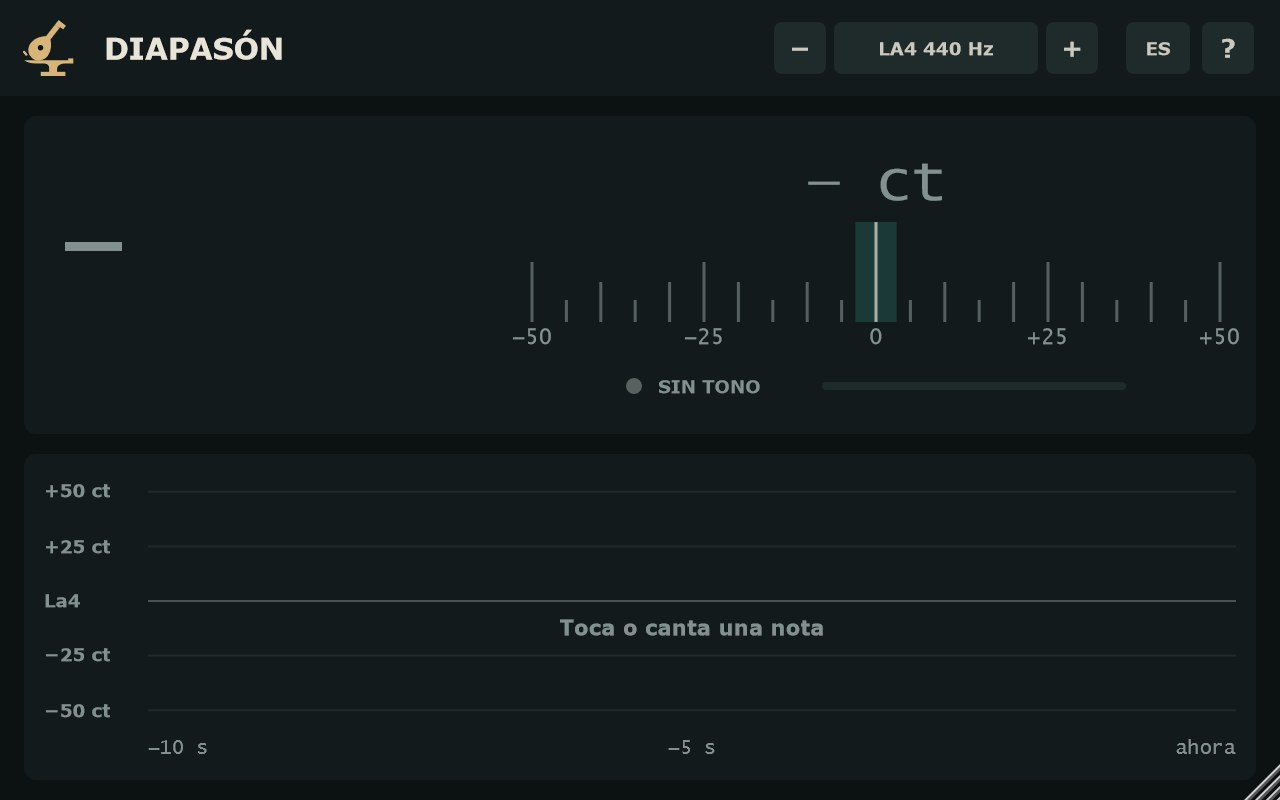
- LA4 − 440 Hz +
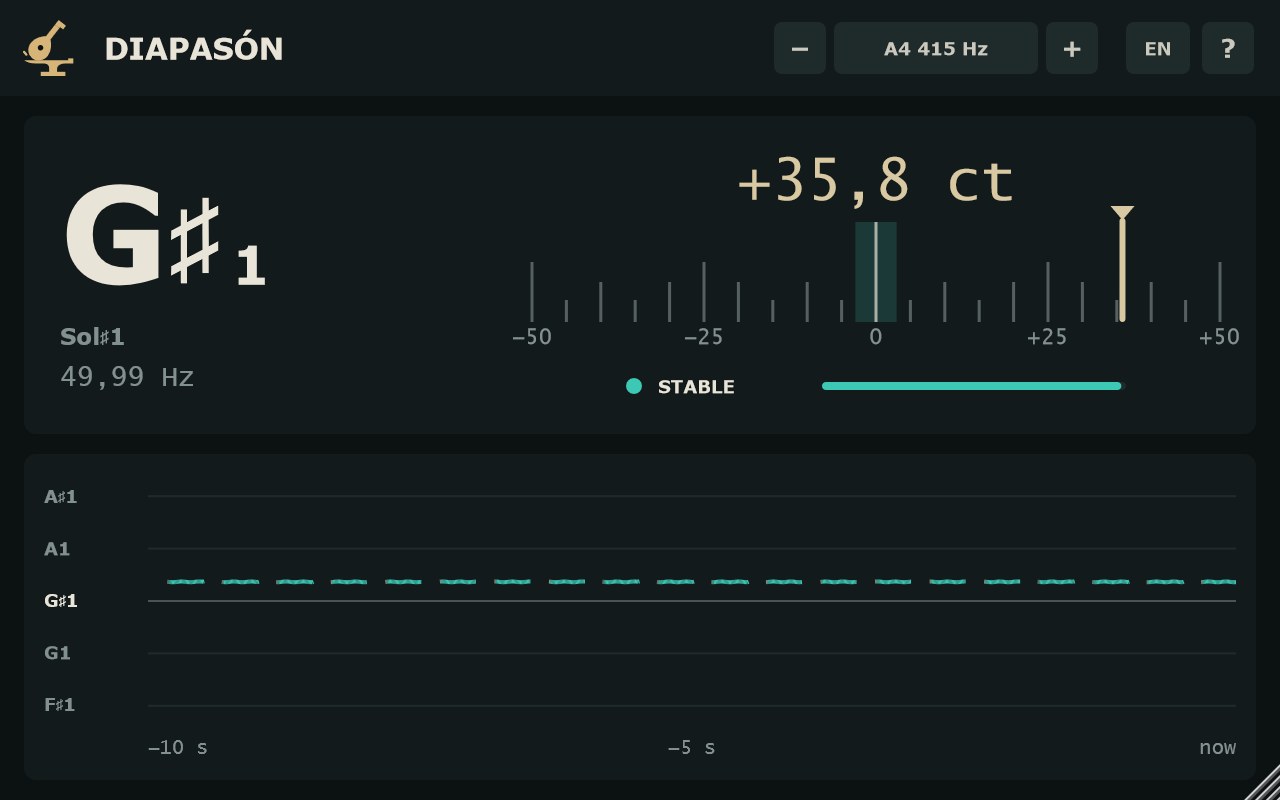
- Calibración: la frecuencia del La4, de 415 a 466 Hz, en pasos de 1 Hz. De serie, 440 Hz. Pulsa − o +, o gira la rueda del ratón sobre el control (hacia arriba sube). Clic en el valor abre la lista: 415, 430, 432, 435, 440, 441, 442, 443, 444 y 466 Hz. Es el único parámetro del plugin; se guarda con la sesión y se puede automatizar.
- ES / EN
- Cambia el idioma de la interfaz. En español las notas se llaman Do, Re, Mi…; en inglés, C, D, E… La elección vale para todas las instancias y se recuerda. De serie, el idioma del sistema.
- ?
- Abre un resumen de uso y la versión.
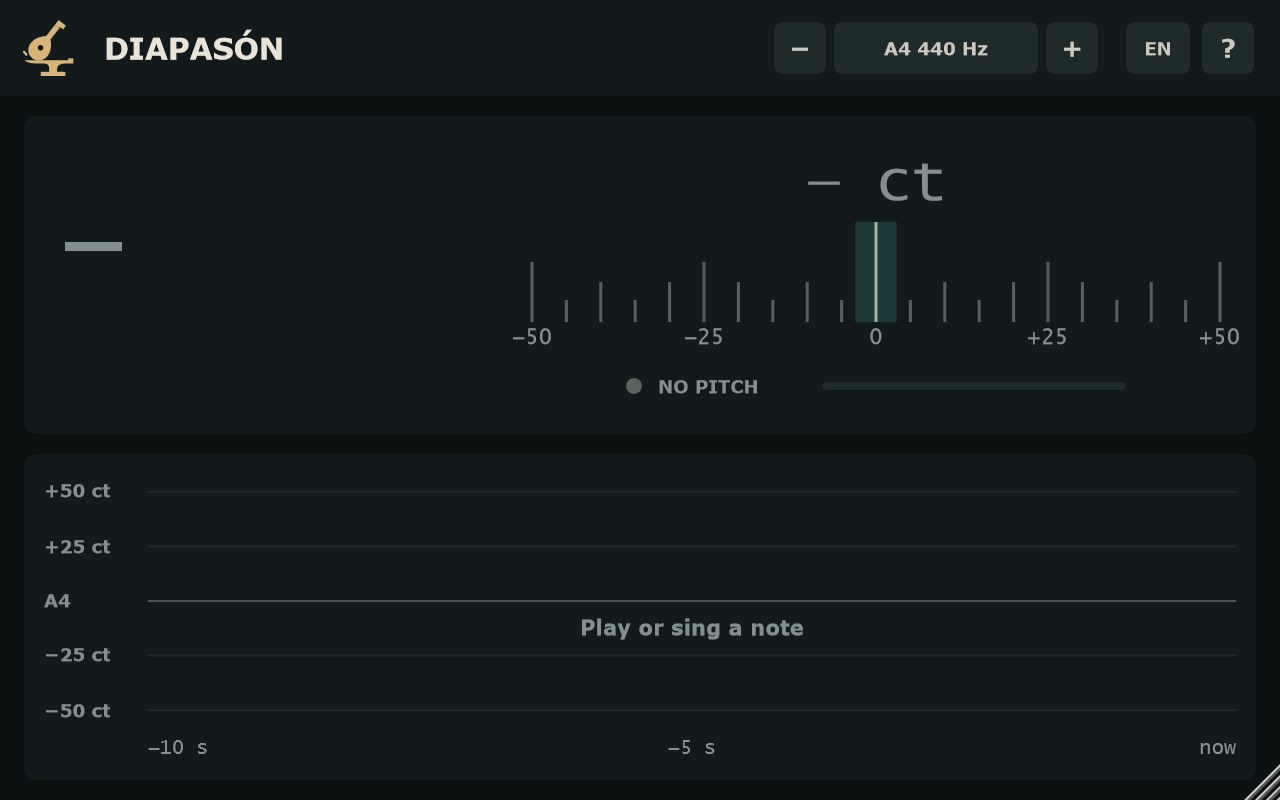
- A4 − 440 Hz +
- Calibration: the A4 frequency, from 415 to 466 Hz in 1 Hz steps. Default 440 Hz. Click − or +, or scroll the mouse wheel over the control (up raises it). Click the value for the list: 415, 430, 432, 435, 440, 441, 442, 443, 444 and 466 Hz. It is the plugin's only parameter; it is saved with the session and can be automated.
- ES / EN
- Switches the interface language. Spanish names the notes Do, Re, Mi…; English uses C, D, E… The choice applies to every instance and is remembered. By default, the system language.
- ?
- Opens a short usage summary and the version.
LecturaReading
- Nota
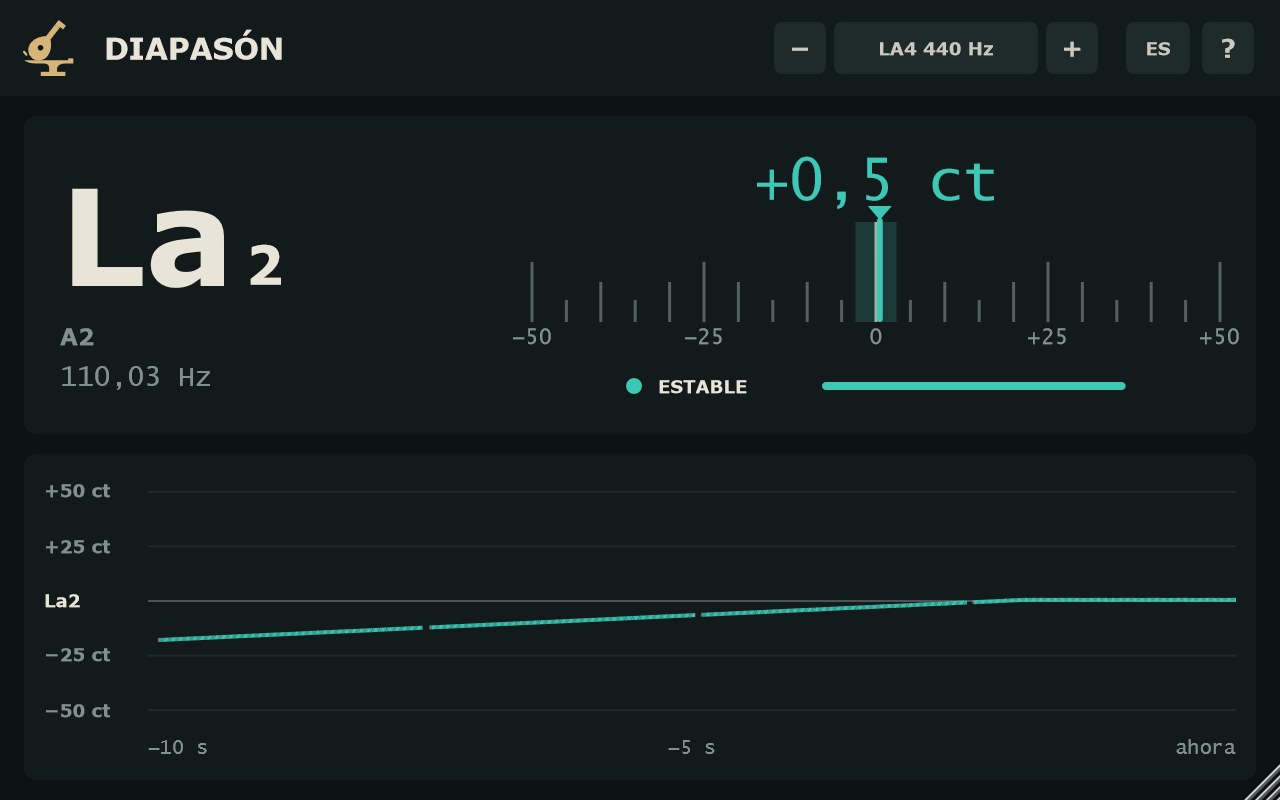
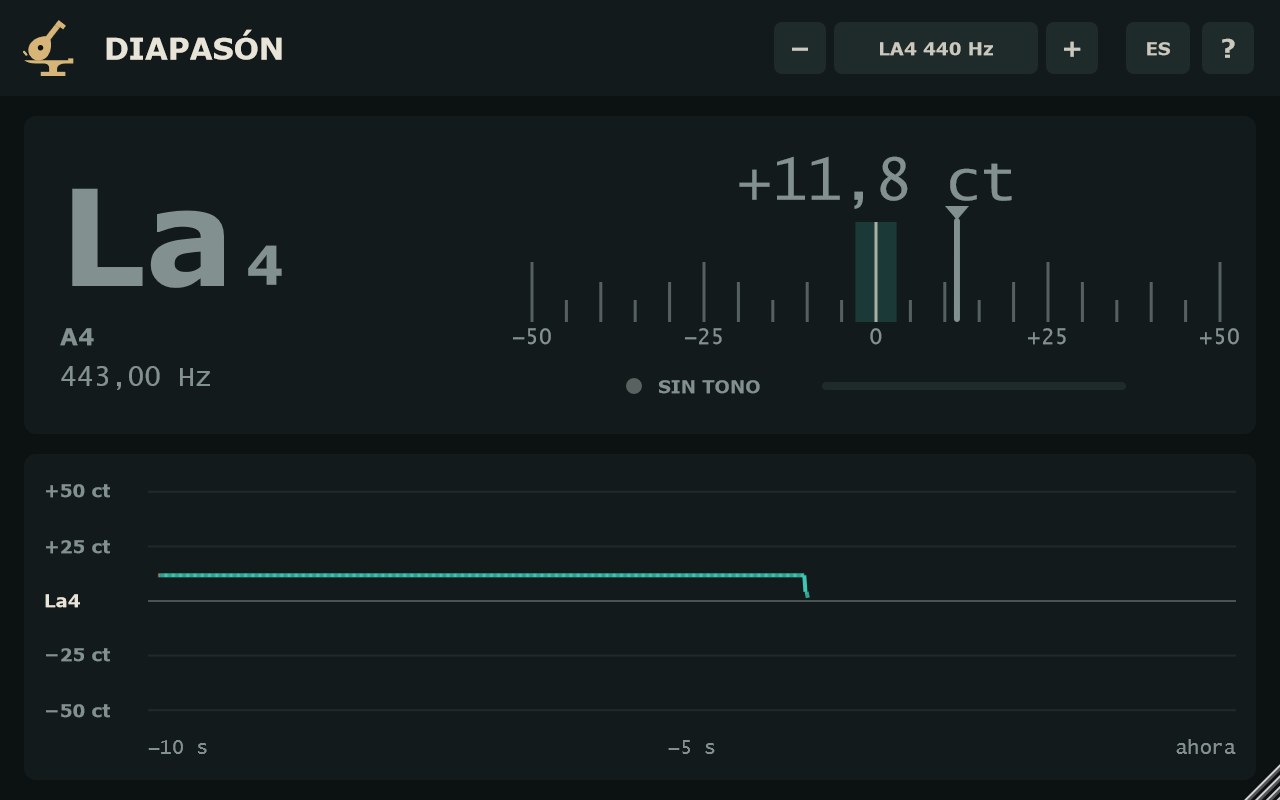
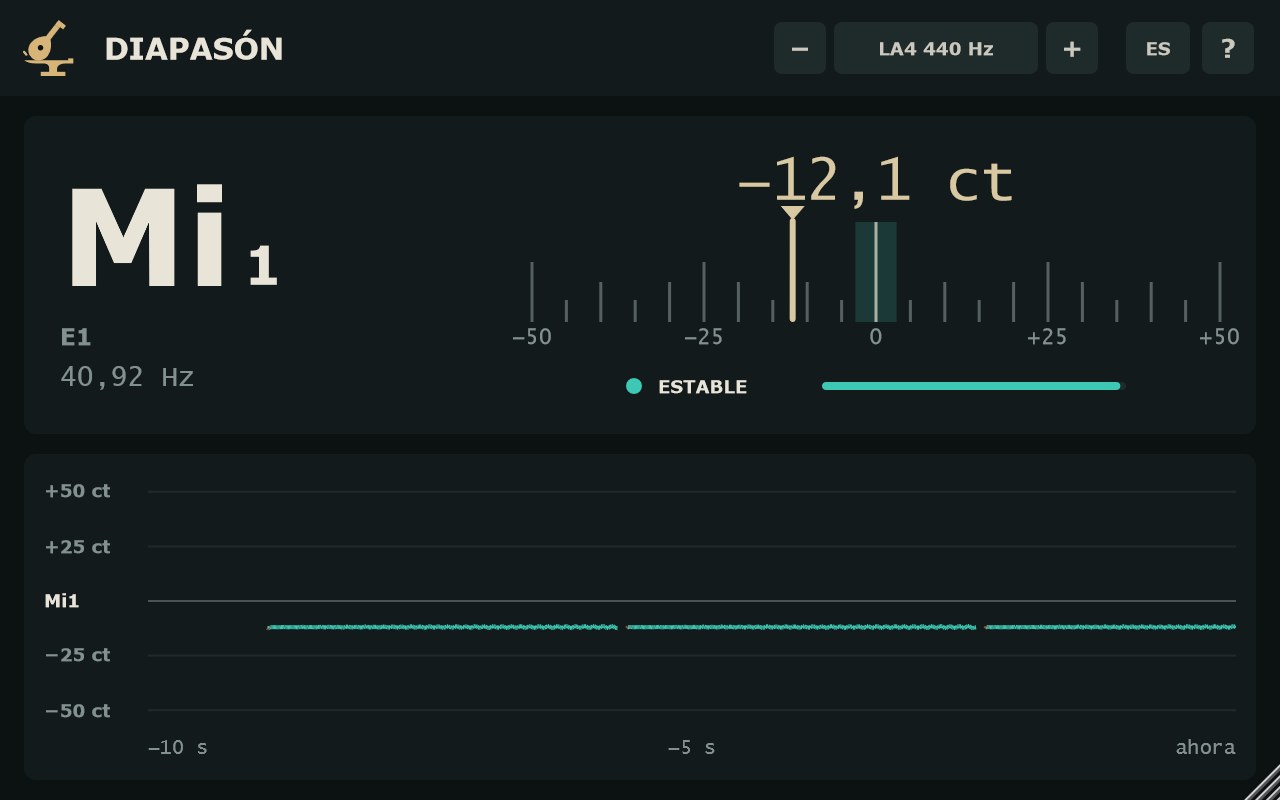
- La nota más cercana, grande, con su octava (octavas científicas: La4 = 440 Hz). Debajo, pequeña, la misma nota en el otro sistema (A4 si estás en español, La4 si estás en inglés), y la frecuencia en Hz con dos decimales.
- Cents
- La desviación respecto a la nota, con un decimal. Positivo = alto; negativo = bajo.
- Escala de −50 a +50 ct
- Aguja con la desviación y la zona de ±3 ct marcada. La aguja se suaviza un poco (unos 80 ms) para que se lea sin temblar.
- Color
- Turquesa: estable y a ±3 ct o menos, afinado. Arena: estable pero desafinado, o inestable. Apagado: sin tono.
- ESTABLE · INESTABLE · SIN TONO
- Cuánto fiarse de la lectura: punto, palabra y barra. Combina lo periódica que es la señal y lo poco que salta entre lecturas. Un vibrato suave sigue siendo ESTABLE; los saltos, no. Sin tono, se queda en pantalla la última nota, apagada.
- Note
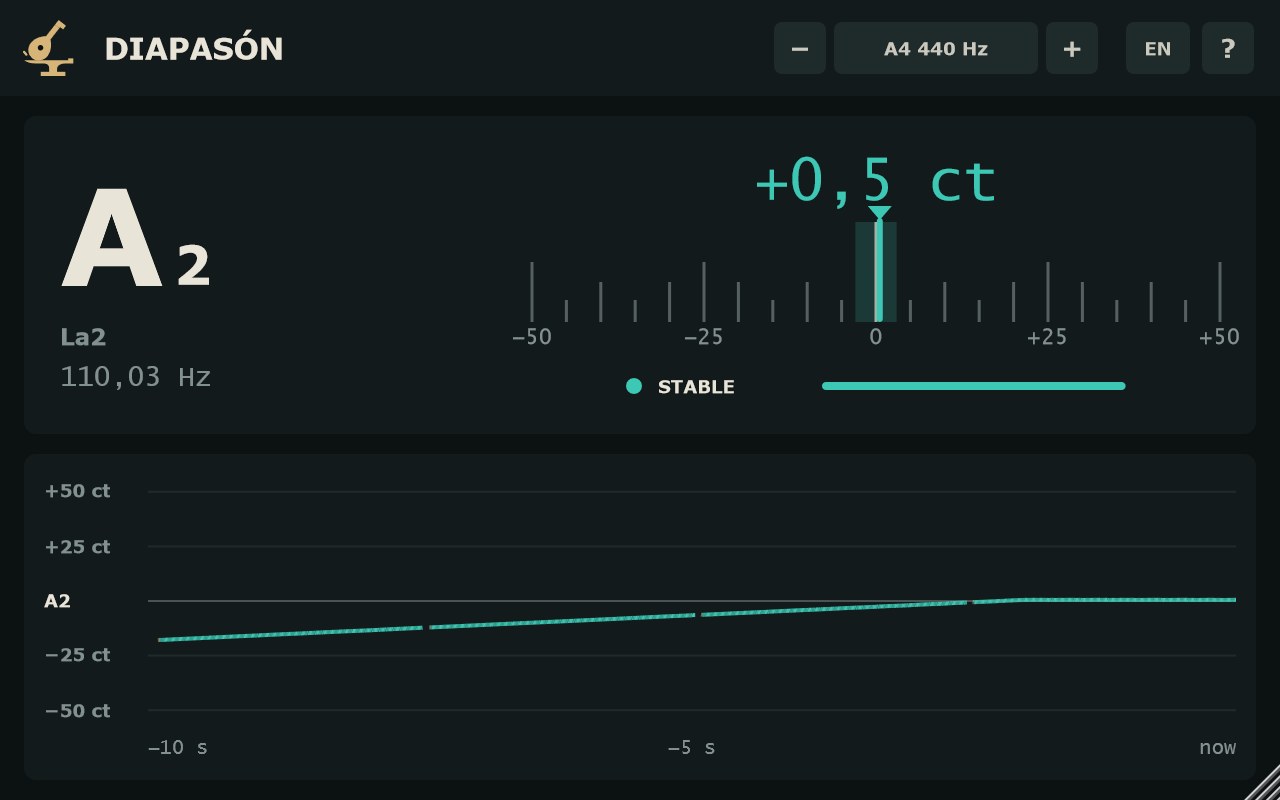
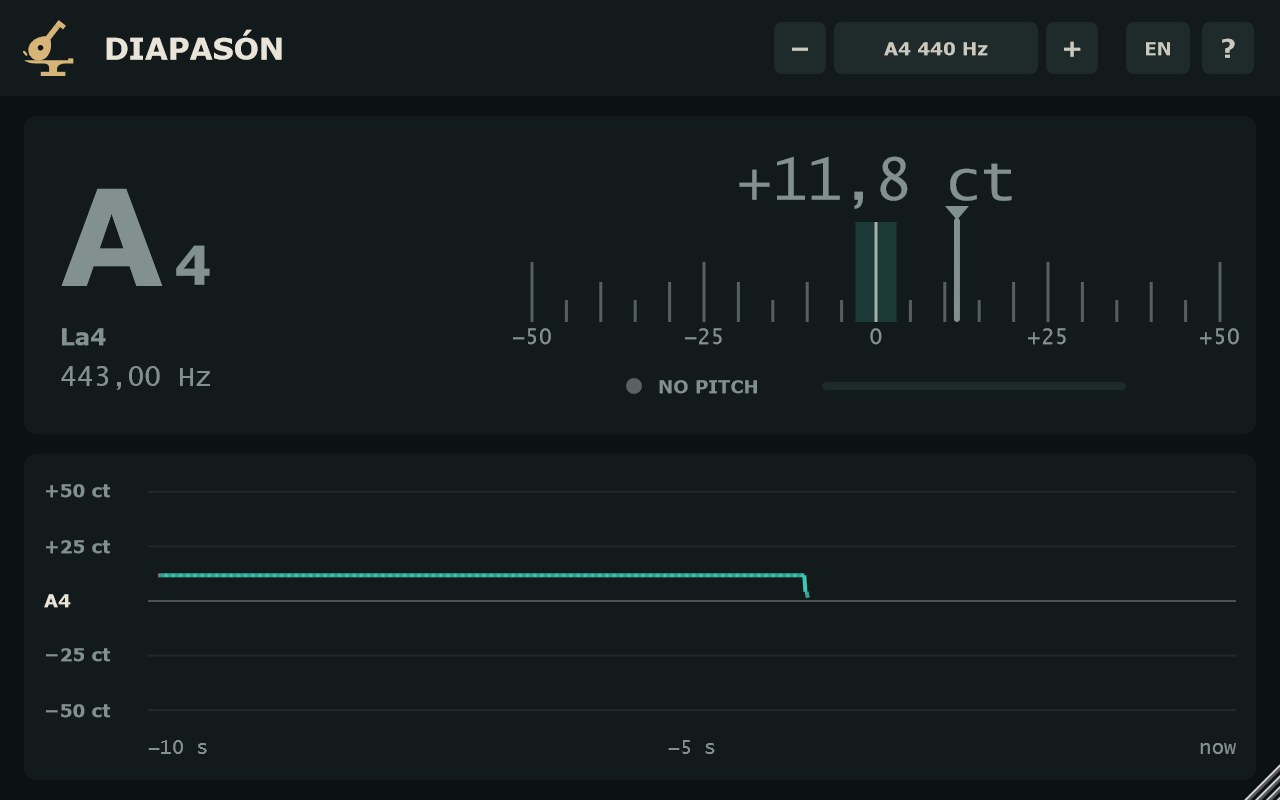
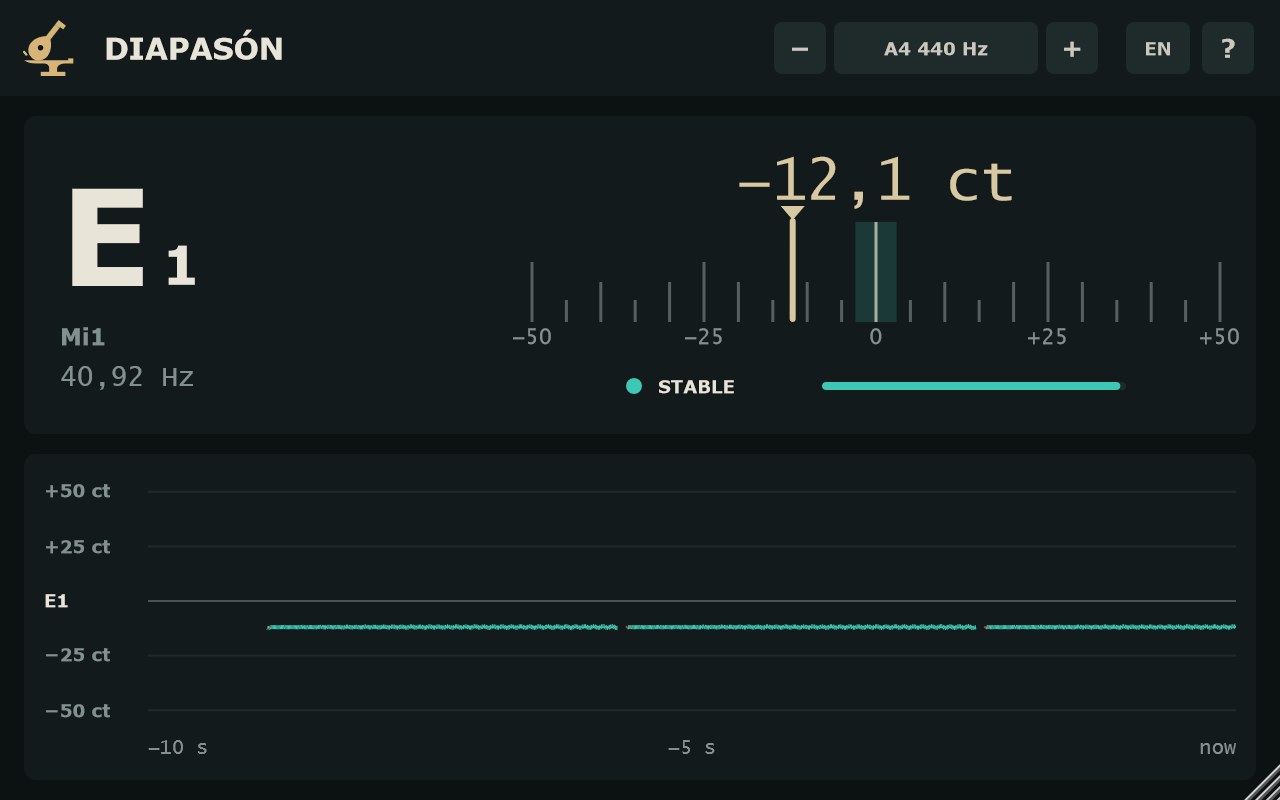
- The nearest note, large, with its octave (scientific pitch: A4 = 440 Hz). Below it, small, the same note in the other system (La4 in English, A4 in Spanish), and the frequency in Hz to two decimals.
- Cents
- Deviation from the note, to one decimal. Positive = sharp; negative = flat.
- −50 to +50 ct scale
- A needle for the deviation, with the ±3 ct zone marked. The needle is lightly smoothed (about 80 ms) so it reads without jitter.
- Colour
- Teal: stable and within ±3 ct, in tune. Sand: stable but out of tune, or unstable. Dimmed: no pitch.
- STABLE · UNSTABLE · NO PITCH
- How far to trust the reading: dot, word and bar. It combines how periodic the signal is and how little it jumps between readings. Gentle vibrato stays STABLE; jumps do not. With no pitch, the last note stays on screen, dimmed.
HistorialHistory
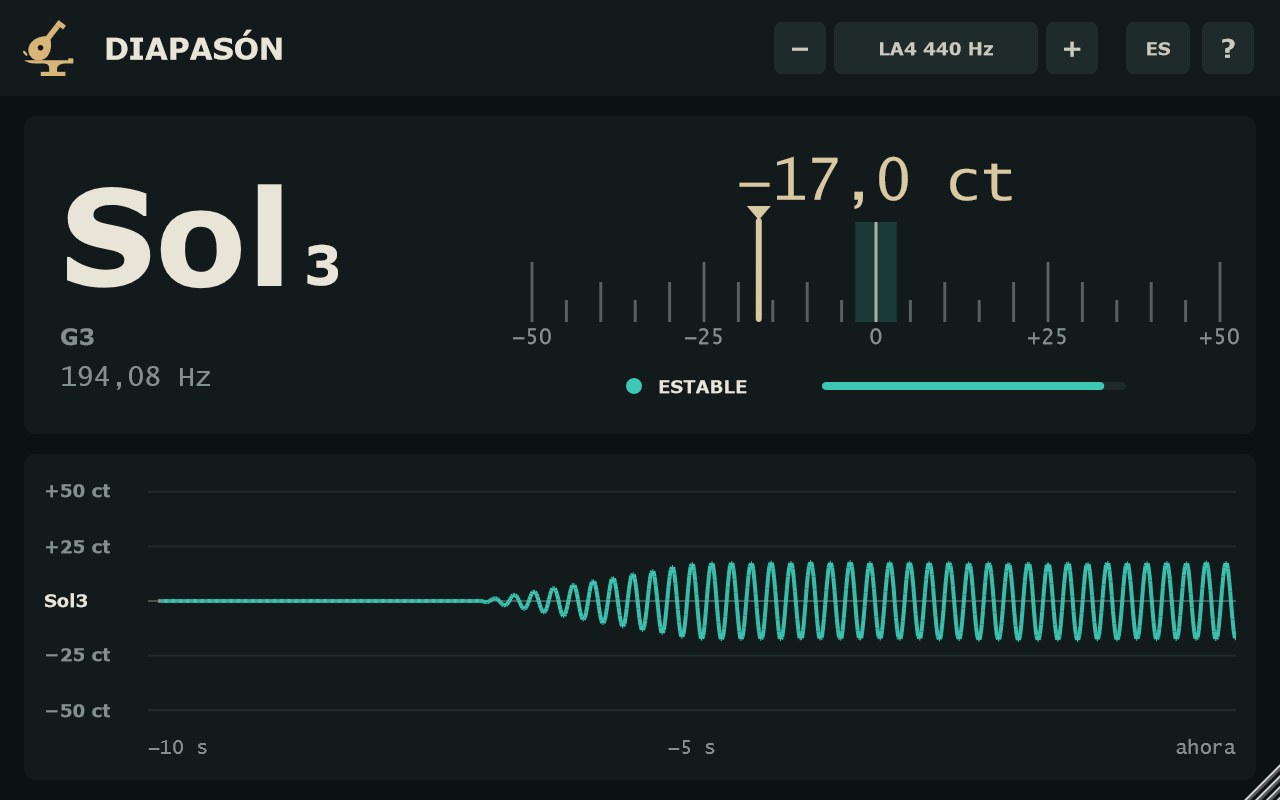
El panel de abajo dibuja el tono de los últimos 10 segundos, de −10 s a «ahora». La opacidad del trazo es la fiabilidad: turquesa si es estable, arena si no. Los tramos sin tono se cortan.
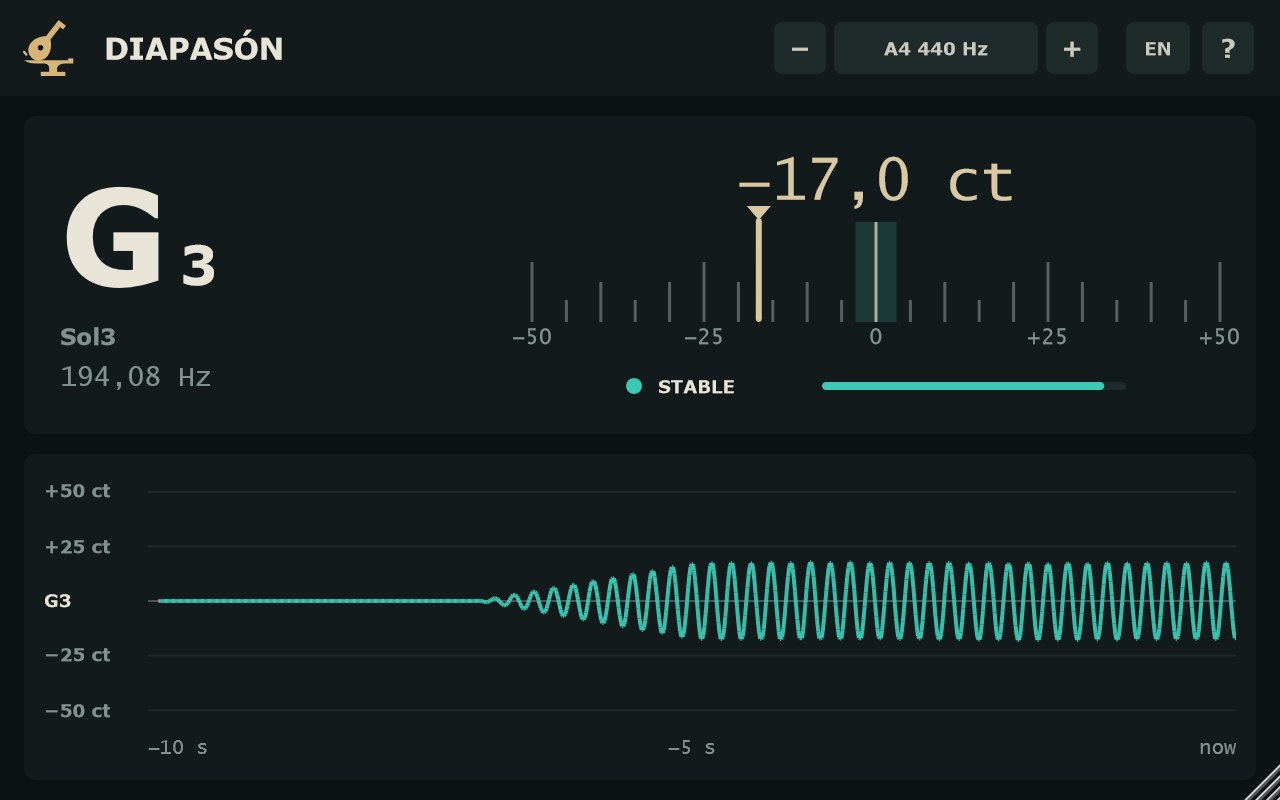
The lower panel draws the pitch of the last 10 seconds, from −10 s to “now”. Line opacity follows the confidence: teal when stable, sand when not. Stretches with no pitch are left blank.
- Vista en cents
- Si todo el historial cabe a medio semitono de la nota, el eje va en cents (líneas cada 25 ct). Es la vista para afinar.
- Vista en semitonos
- Si la nota se mueve más (una melodía, un bombo con caída), el eje pasa a semitonos, ±2 alrededor de la última nota estable, con cada línea rotulada.
- Cents view
- If the whole history fits within half a semitone of the note, the axis is in cents (a line every 25 ct). This is the tuning view.
- Semitone view
- If the note moves further (a melody, a kick with a pitch drop), the axis switches to semitones, ±2 around the last stable note, with each line labelled.
VentanaWindow
640 × 400 de serie. Arrastra la esquina para cambiar el tamaño, de 520 × 340 a 1400 × 900.
640 × 400 by default. Drag the corner to resize, from 520 × 340 to 1400 × 900.
Vista en la pista (REAPER)In-track view (REAPER)
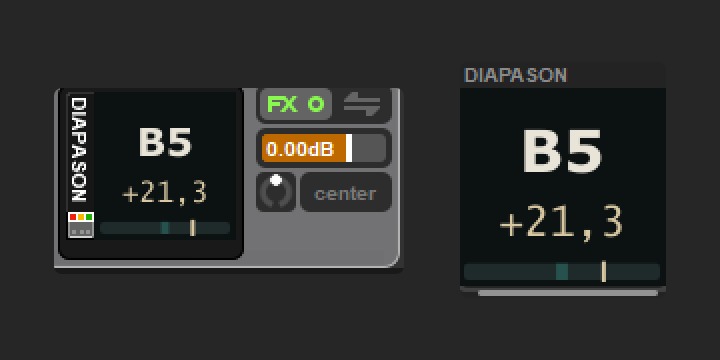
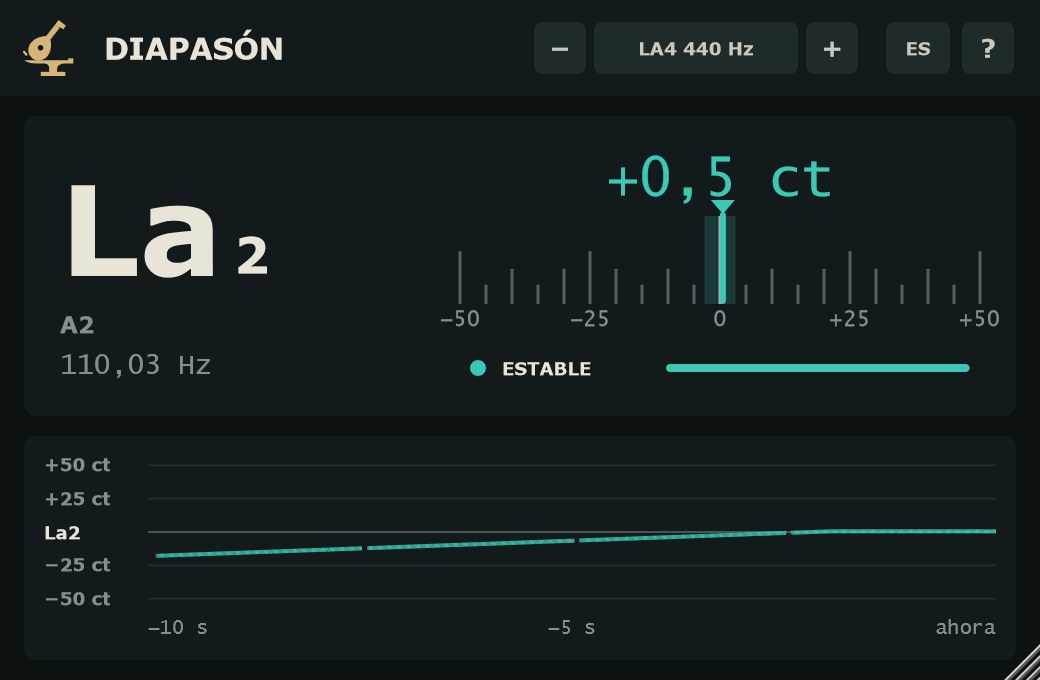
En REAPER, con el VST3, DIAPASÓN se puede ver dentro del panel de pista (TCP) o del mezclador (MCP) sin abrir la ventana. Clic derecho sobre DIAPASÓN en la cadena de efectos → Show embedded UI in TCP o in MCP.
In REAPER, with the VST3, DIAPASÓN can show inside the track panel (TCP) or the mixer (MCP) without opening its window. Right-click DIAPASÓN in the FX chain → Show embedded UI in TCP or in MCP.
- Qué enseña
- Nota, cents y una escala de ±50 ct con la zona afinada y la aguja, con los mismos colores que la ventana. En el panel de pista (ancho), nota a la izquierda y cents y escala a la derecha; en el mezclador (alto), apilados. En un hueco muy pequeño, solo la nota, en el color de la afinación. Sin tono, la última nota estable apagada; «—» si aún no ha sonado nada.
- Clic
- Abre la ventana de DIAPASÓN si es el único en la pista.
- What it shows
- Note, cents and a ±50 ct scale with the in-tune zone and the needle, in the same colours as the window. In the track panel (wide), note on the left with cents and scale on the right; in the mixer (tall), stacked. In a very small slot, the note alone, in its tuning colour. With no pitch, the last stable note dimmed; “—” if nothing has played yet.
- Click
- Opens the DIAPASÓN window when it is the only one on the track.
Paso a paso: afinar un bajo antes de grabarStep by step: tuning a bass before tracking
- Pon DIAPASÓN en la pista del bajo. No hace falta quitarlo después: no cambia el sonido.
- Comprueba la referencia en la cabecera: LA4 440 Hz, o la que use la banda o la grabación (clic en el valor para la lista).
- Toca la cuerda al aire y deja que suene. Espera a ver ESTABLE.
- Gira la clavija hasta que la aguja entre en la zona de ±3 ct y la nota se ponga turquesa.
- Mira el historial: si la línea cae en la cola de la nota, la cuerda baja al apagarse; afina con el ataque ya pasado, en la parte plana.
- Put DIAPASÓN on the bass track. No need to remove it afterwards: it does not change the sound.
- Check the reference in the header: A4 440 Hz, or whatever the band or the recording uses (click the value for the list).
- Play the open string and let it ring. Wait for STABLE.
- Turn the peg until the needle is inside the ±3 ct zone and the note turns teal.
- Watch the history: if the line drops in the tail, the string goes flat as it decays; tune on the flat part, after the attack.
Para la nota de un bombo o un 808: pon DIAPASÓN en su pista, deja sonar el golpe y lee la nota en la vista en semitonos del historial.
For the note of a kick or an 808: put DIAPASÓN on its track, let the hit ring and read the note in the semitone view of the history.
Preguntas frecuentesFAQ
¿Es gratis de verdad?Is it really free?
Sí. Sin número de serie, sin avisos y sin límite de tiempo.
Yes. No serial number, no nag screens, no time limit.
¿Cambia el sonido?Does it change the sound?
No. El audio sale idéntico, muestra a muestra, y la latencia es 0.
No. Audio comes out identical, sample for sample, with zero latency.
¿Qué rango de notas lee?What pitch range does it read?
De 30 Hz a 2 kHz: desde el Si0 hasta por encima del Si6. Cubre bajos, bombos, guitarras, voces y la mayoría de los instrumentos.
30 Hz to 2 kHz: from B0 to just above B6. That covers basses, kicks, guitars, vocals and most instruments.
¿Por qué pone SIN TONO con una voz hablada o una batería?Why does it say NO PITCH on speech or drums?
Porque esa señal no tiene un tono claro. DIAPASÓN prefiere no dar nota a dar una que baile. Mientras tanto se queda la última nota estable, apagada.
Because that signal has no clear pitch. DIAPASÓN would rather show no note than one that jumps around. Meanwhile, the last stable note stays on screen, dimmed.
¿Puedo afinar a 432 o a 415 Hz?Can I tune to 432 or 415 Hz?
Sí. El La4 va de 415 a 466 Hz en pasos de 1 Hz; los valores más usados están en la lista al hacer clic en el valor.
Yes. A4 goes from 415 to 466 Hz in 1 Hz steps; the common values are in the list when you click the value.
¿Consume mucha CPU?Is it heavy on CPU?
El consumo de CPU es muy bajo.
CPU use is very low.