 Martillolaud
InstalaciónInstallation
- Descarga el zip de tu sistema y descomprímelo.
- En macOS, abre
FASE.pkgy sigue los pasos: instala Fase en AU, VST3 y AAX. - En Windows y Linux, copia
FASE.vst3en la carpeta de plugins VST3:
WindowsC:\Program Files\Common Files\VST3· Linux~/.vst3 - Abre tu DAW y vuelve a buscar plugins si no aparece. Está bajo el fabricante Martillolaud.
- Download the zip for your system and unzip it.
- On macOS, open
FASE.pkgand follow the steps: it installs Fase as AU, VST3 and AAX. - On Windows and Linux, copy
FASE.vst3to your VST3 plugin folder:
WindowsC:\Program Files\Common Files\VST3· Linux~/.vst3 - Open your DAW and rescan plugins if it does not show up. It is listed under the manufacturer Martillolaud.
Qué es FASEWhat FASE is
Cuando dos micros captan la misma fuente a distancias distintas, sus señales llegan desfasadas. Al sumarlas se pierden graves y cuerpo. Pasa con el bombo dentro y fuera, la tarola arriba y abajo, los cercanos contra los overheads o la DI contra el amplificador.
When two mics pick up the same source from different distances, their signals arrive out of time. Summed together, they lose low end and body. It happens with kick in and out, snare top and bottom, close mics against overheads, or a DI against the amp.
FASE va en la pista que quieres mover y recibe la otra como referencia por sidechain. Pulsa ALINEAR con la canción sonando: escucha unos 2 segundos, calcula el retardo y la polaridad y los aplica. También puedes ajustar el retardo a mano en muestras, milisegundos o centímetros.
FASE goes on the track you want to move and takes the other one as a reference through the sidechain. Press ALIGN with the song playing: it listens for about 2 seconds, works out delay and polarity, and applies them. You can also set the delay by hand in samples, milliseconds or centimetres.
Sirve en grabación, en mezcla y en la preparación de multipistas. Es gratis para siempre: sin serie, sin avisos y sin límites.
Use it while tracking, mixing or prepping multitracks. It is free forever: no serial, no nag screens, no limits.
- Alineación automática
- ALINEAR mide retardo y polaridad en unos 2 s de material y te dice la fiabilidad del resultado.
- Precisión de fracción de muestra
- El retardo se ajusta en pasos de centésimas de muestra, no solo en muestras enteras.
- Tres unidades a la vez
- Muestras, ms y cm, sincronizadas. Escribe en la que tengas a mano.
- Escucha de la suma
- SUMA te deja oír pista y referencia juntas sin tocar la mezcla, con medidores de correlación y ganancia.
- Cambios sin chasquidos
- Retardo, polaridad y A/B cambian con un fundido de 20 ms. Se pueden automatizar.
- Automatic alignment
- ALIGN measures delay and polarity over about 2 s of material and reports how confident the result is.
- Sub-sample precision
- Delay moves in hundredths of a sample, not just whole samples.
- Three units at once
- Samples, ms and cm, all linked. Type into whichever one you have.
- Sum monitoring
- SUM lets you hear track and reference together without touching the mix, with correlation and gain meters.
- Click-free changes
- Delay, polarity and A/B switch with a 20 ms crossfade. All three can be automated.
Formatos y conexiónFormats and routing
VST3 en Windows, macOS y Linux. AU y AAX en macOS.
VST3 on Windows, macOS and Linux. AU and AAX on macOS.
Inserta FASE en la pista que se va a mover. Envía la pista de referencia a la entrada de sidechain de FASE («Reference», mono o estéreo). La pista puede ser mono o estéreo: el retardo y la polaridad son iguales en los dos canales. La referencia se suma a mono para medir y para SUMA.
Insert FASE on the track that will move. Route the reference track to FASE's sidechain input ("Reference", mono or stereo). The track can be mono or stereo: delay and polarity apply equally to both channels. The reference is summed to mono for metering and for SUM.
FASE declara una latencia fija de 10 ms más 16 muestras (496 muestras a 48 kHz). No cambia nunca mientras suena, así que la compensación del DAW la absorbe. Gracias a ella, el retardo puede ser negativo: la pista se puede adelantar hasta 10 ms.
FASE reports a fixed latency of 10 ms plus 16 samples (496 samples at 48 kHz). It never changes during playback, so the host's delay compensation takes care of it. That headroom is what allows negative delay: the track can be moved up to 10 ms earlier.
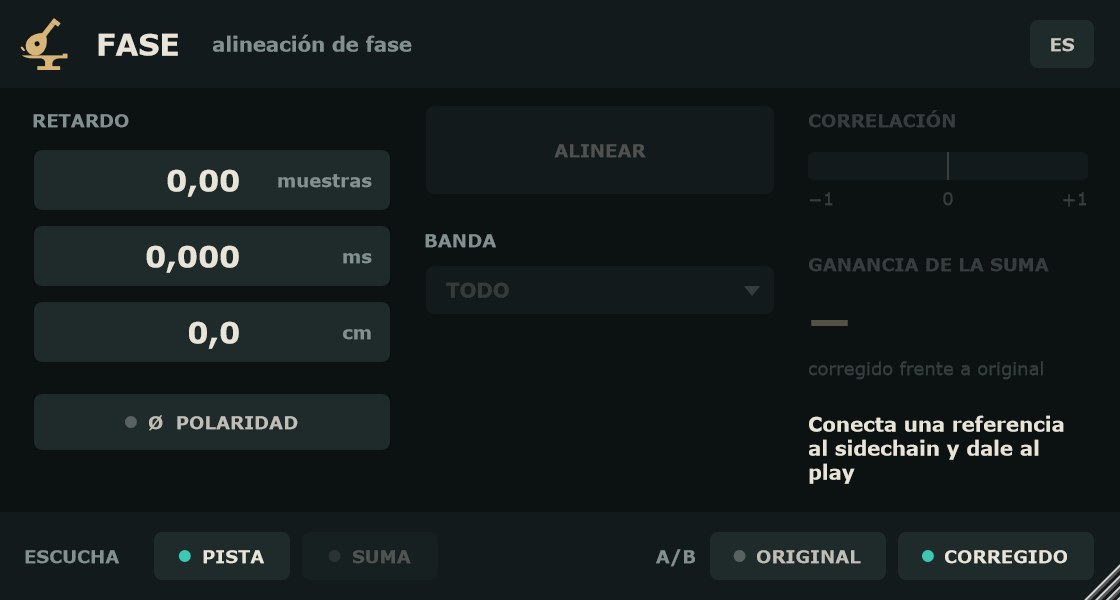
Si no llega señal a la referencia (nada por encima de −60 dBFS en los últimos 2 s), RETARDO y POLARIDAD siguen funcionando; ALINEAR, SUMA y los medidores se apagan y aparece «Conecta una referencia al sidechain y dale al play».
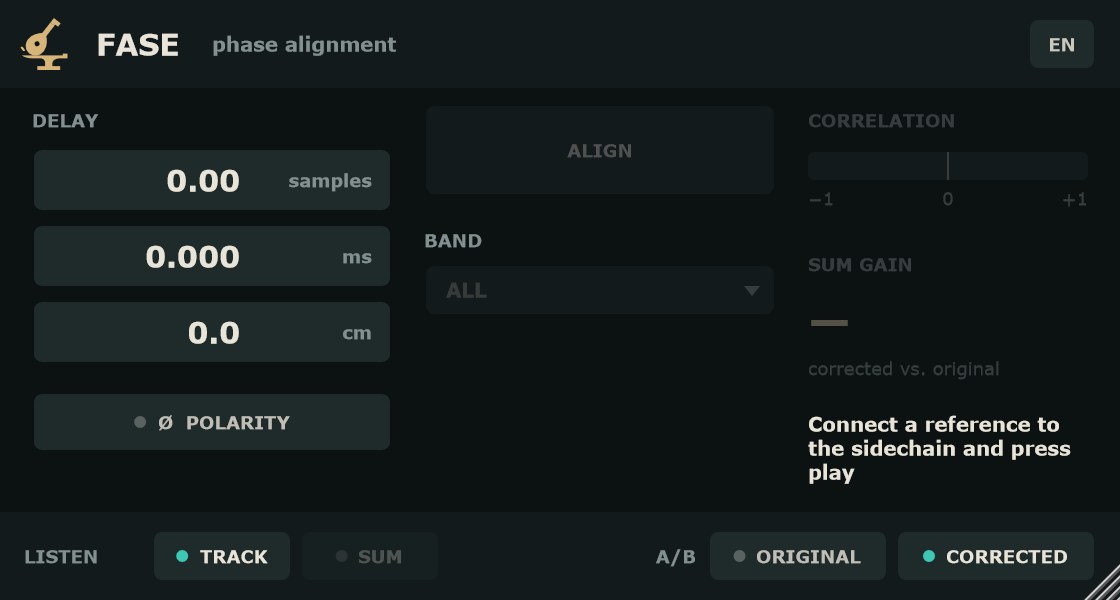
If no signal reaches the reference (nothing above −60 dBFS in the last 2 s), DELAY and POLARITY keep working; ALIGN, SUM and the meters go dim and the plug-in shows "Connect a reference to the sidechain and press play".
ControlesControls
- RETARDO
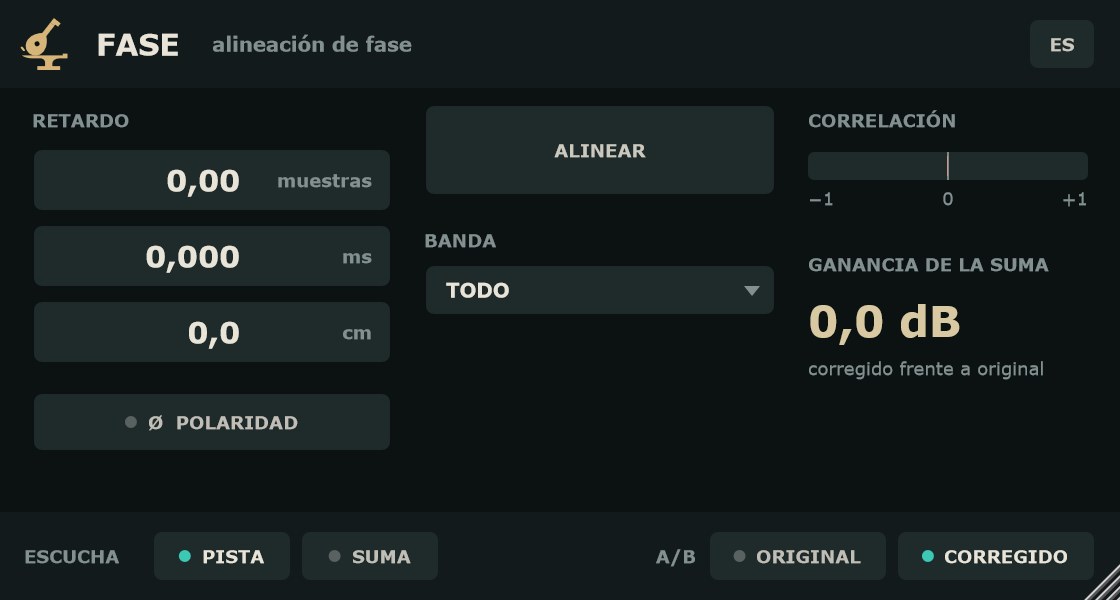
- Cuánto se retrasa la pista frente a la referencia. Rango −10 … +10 ms; de serie, 0. Positivo = la pista suena más tarde. Se muestra a la vez en muestras (2 decimales), ms (3 decimales) y cm (1 decimal, a 343 m/s). Arrastra arriba o abajo cualquiera de las tres casillas: 0,01 ms por píxel, o 0,001 ms con Shift (fino). Doble clic para escribir un valor en esa unidad; se recorta al rango. El parámetro se guarda en ms, así que no depende de la frecuencia de muestreo, y se puede automatizar.
- Ø POLARIDAD
- Invierte la polaridad de la pista. Clic para activar o desactivar. De serie, apagada. Automatizable.
- ALINEAR
- Con la canción sonando, escucha unos 2 s de material con señal en las dos entradas y fija RETARDO y POLARIDAD. Mientras escucha, el botón pasa a CANCELAR. Si el DAW está parado, sigue esperando hasta que vuelva a sonar o canceles. Si tras 15 s de audio no encuentra una coincidencia clara, no cambia nada.
- BANDA
- En qué frecuencias mira ALINEAR: TODO (de serie), GRAVES (< 250 Hz) o MEDIOS-AGUDOS (> 250 Hz). En bombo dentro/fuera suele ir mejor GRAVES. Se guarda con la sesión.
- Línea de resultado
- Tras ALINEAR muestra el retardo aplicado, la polaridad y la fiabilidad, p. ej. «+1,37 ms · Ø invertida · fiabilidad alta». Con fiabilidad baja muestra «Sin coincidencia clara: no se ha cambiado nada».
- deshacer
- Aparece después de ALINEAR. Vuelve al retardo y la polaridad que había antes.
- ESCUCHA: PISTA / SUMA
- PISTA (de serie): sale la pista corregida. SUMA: sale la pista corregida más la referencia, para oír cómo suman. En la cabecera aparece «ESCUCHANDO LA SUMA». No es automatizable; vuelve a PISTA antes de mezclar.
- A/B: ORIGINAL / CORREGIDO
- ORIGINAL quita el retardo y la polaridad, con la misma latencia, para comparar sin saltos. CORREGIDO (de serie) aplica el ajuste. Automatizable.
- ES / EN
- Cambia el idioma de la interfaz. De serie, el del sistema. En inglés los decimales usan punto. La elección se recuerda para todas las instancias.
- DELAY
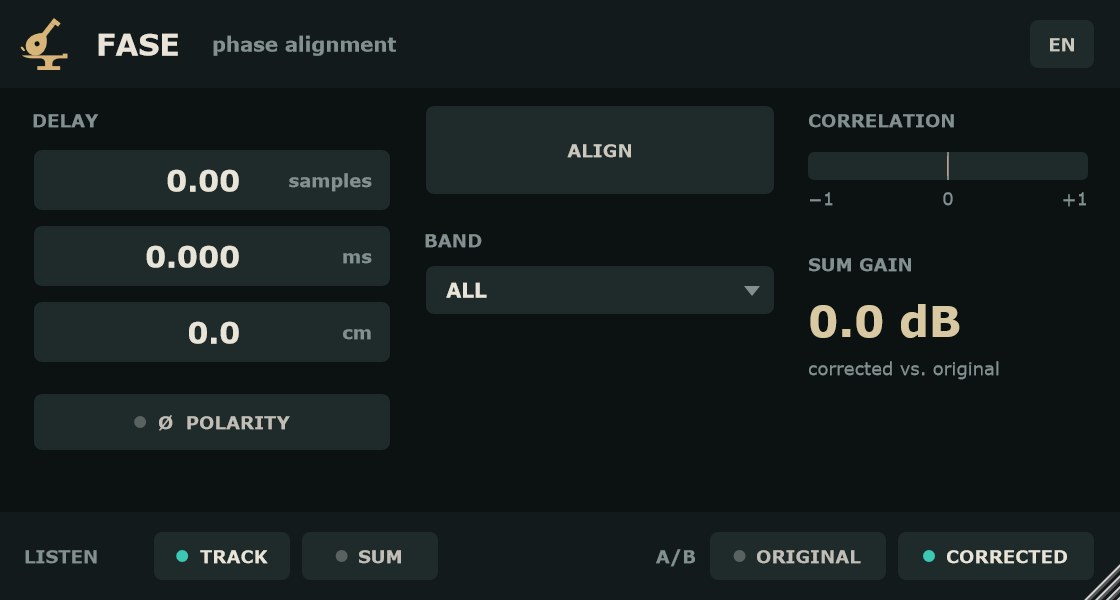
- How much the track is delayed against the reference. Range −10 … +10 ms; default 0. Positive = the track plays later. Shown at once in samples (2 decimals), ms (3 decimals) and cm (1 decimal, at 343 m/s). Drag any of the three fields up or down: 0.01 ms per pixel, or 0.001 ms with Shift (fine). Double-click to type a value in that unit; it is clamped to the range. The parameter is stored in ms, so it does not depend on the sample rate, and it can be automated.
- Ø POLARITY
- Flips the polarity of the track. Click to toggle. Default off. Automatable.
- ALIGN
- With the song playing, listens to about 2 s of material with signal on both inputs, then sets DELAY and POLARITY. While listening the button reads CANCEL. If the host is stopped, it keeps waiting until playback resumes or you cancel. If it finds no clear match after 15 s of audio, nothing is changed.
- BAND
- Which frequencies ALIGN looks at: ALL (default), LOWS (< 250 Hz) or MIDS-HIGHS (> 250 Hz). For kick in/out, LOWS usually works best. Saved with the session.
- Result line
- After ALIGN it shows the applied delay, polarity and confidence, e.g. "+1.37 ms · Ø inverted · high confidence". With low confidence it reads "No clear match: nothing was changed".
- undo
- Appears after ALIGN. Restores the delay and polarity you had before.
- LISTEN: TRACK / SUM
- TRACK (default): the corrected track. SUM: the corrected track plus the reference, so you hear how they add up. The header shows "LISTENING TO THE SUM". Not automatable; switch back to TRACK before you mix.
- A/B: ORIGINAL / CORRECTED
- ORIGINAL removes delay and polarity, keeping the same latency, for a level comparison with no jump. CORRECTED (default) applies the setting. Automatable.
- ES / EN
- Switches the interface language. Default follows the system. In English, decimals use a point. The choice is remembered across instances.
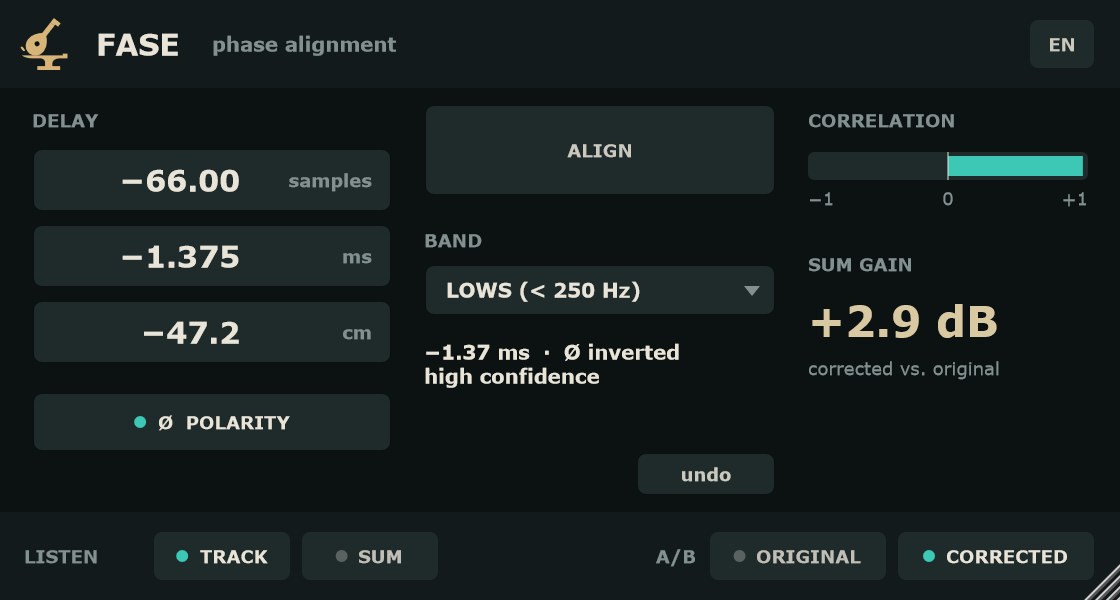
MedidoresMeters
- CORRELACIÓN
- Correlación entre la pista corregida y la referencia, de −1 a +1, integrada en unos 300 ms. Cerca de +1: suman bien. Cerca de −1: se cancelan; prueba Ø POLARIDAD.
- GANANCIA DE LA SUMA
- Corregido frente a original: cuántos dB gana (o pierde) la suma con tu ajuste respecto a la suma sin corregir. Un valor positivo indica que has recuperado energía. Se limita a ±60 dB.
- CORRELATION
- Correlation between the corrected track and the reference, from −1 to +1, integrated over about 300 ms. Near +1: they add up. Near −1: they cancel; try Ø POLARITY.
- SUM GAIN
- Corrected vs. original: how many dB the sum gains (or loses) with your setting compared with the uncorrected sum. A positive value means you got energy back. Clamped to ±60 dB.
Paso a paso: bombo dentro y fueraStep by step: kick in and out
- Inserta FASE en la pista del bombo fuera (la que se mueve).
- Envía el bombo dentro al sidechain de FASE.
- Elige BANDA: GRAVES (< 250 Hz).
- Reproduce una parte donde suene el bombo y pulsa ALINEAR. Deja sonar unos segundos.
- Lee la línea de resultado. Con fiabilidad alta o media, el ajuste ya está aplicado.
- Pasa ESCUCHA a SUMA y alterna A/B entre ORIGINAL y CORREGIDO. Mira GANANCIA DE LA SUMA.
- Si quieres afinar a oído, arrastra RETARDO con Shift. Si no te convence, pulsa deshacer.
- Vuelve ESCUCHA a PISTA y sigue mezclando.
- Insert FASE on the kick out track (the one that moves).
- Route kick in to FASE's sidechain.
- Set BAND to LOWS (< 250 Hz).
- Play a section where the kick is playing and press ALIGN. Let it run for a few seconds.
- Read the result line. With high or medium confidence, the setting is already applied.
- Switch LISTEN to SUM and toggle A/B between ORIGINAL and CORRECTED. Watch SUM GAIN.
- To fine-tune by ear, drag DELAY with Shift held. If you don't like it, press undo.
- Set LISTEN back to TRACK and carry on mixing.
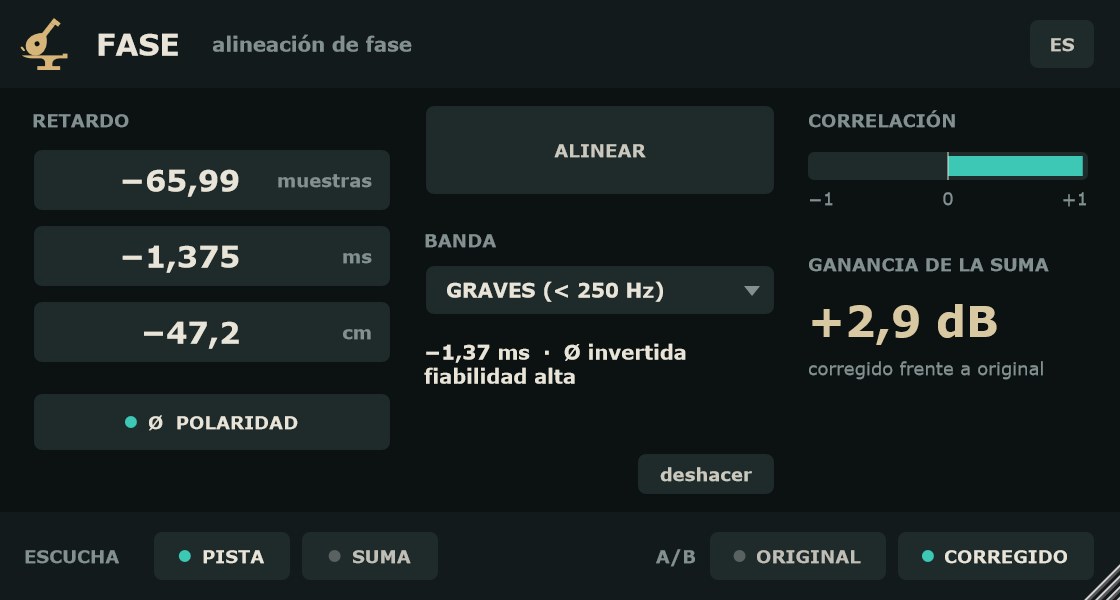
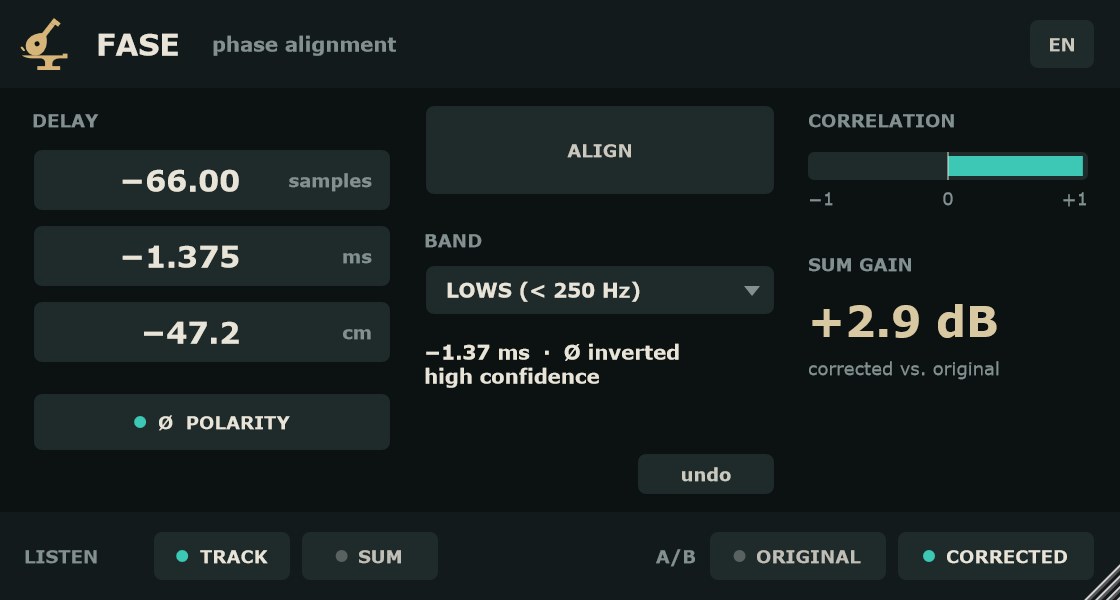
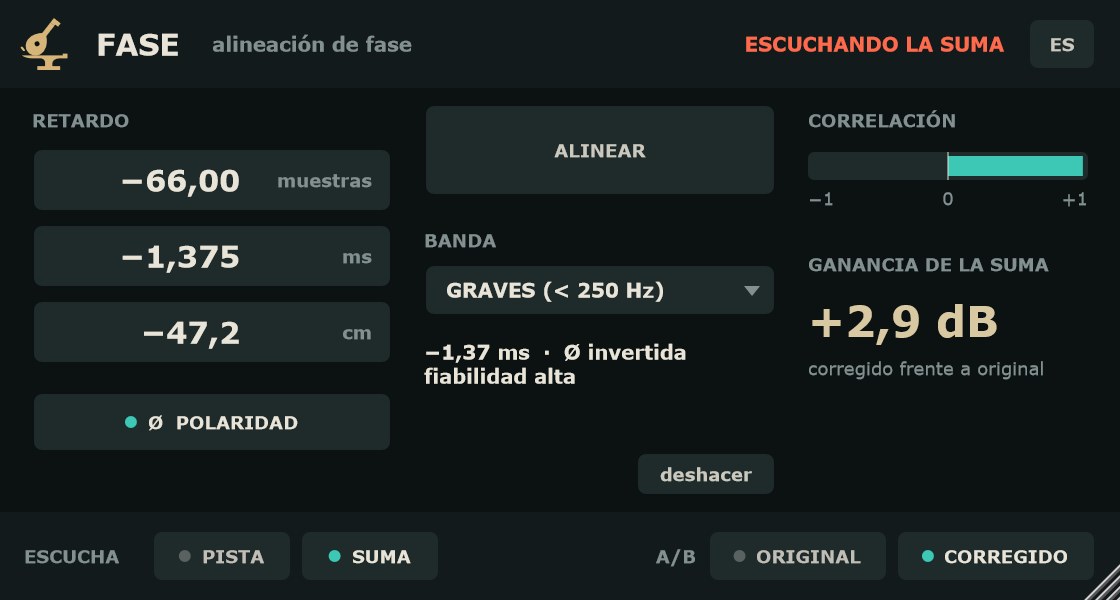
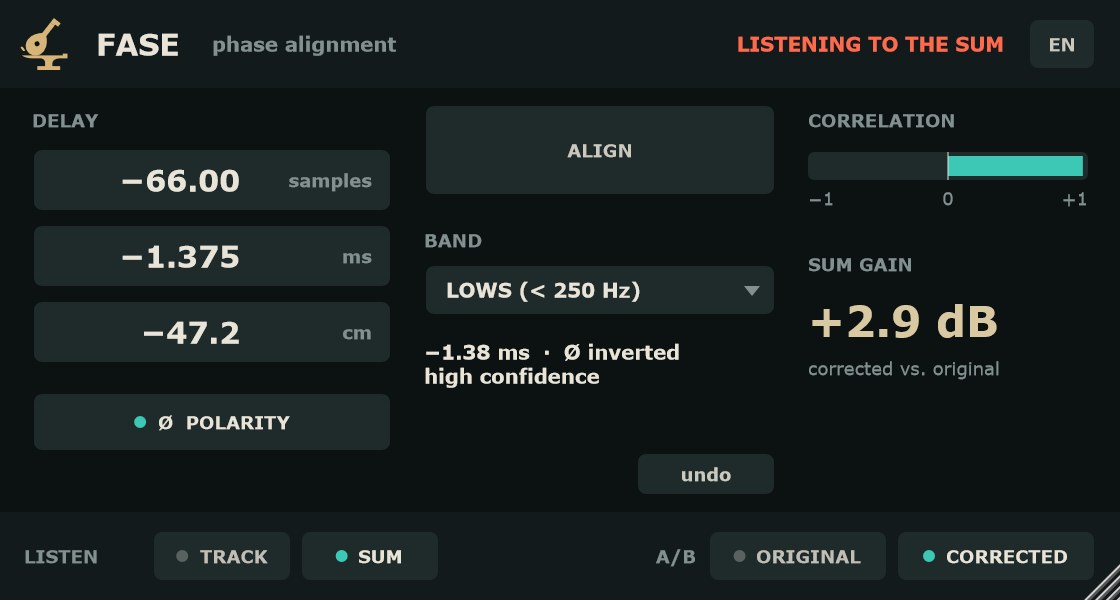
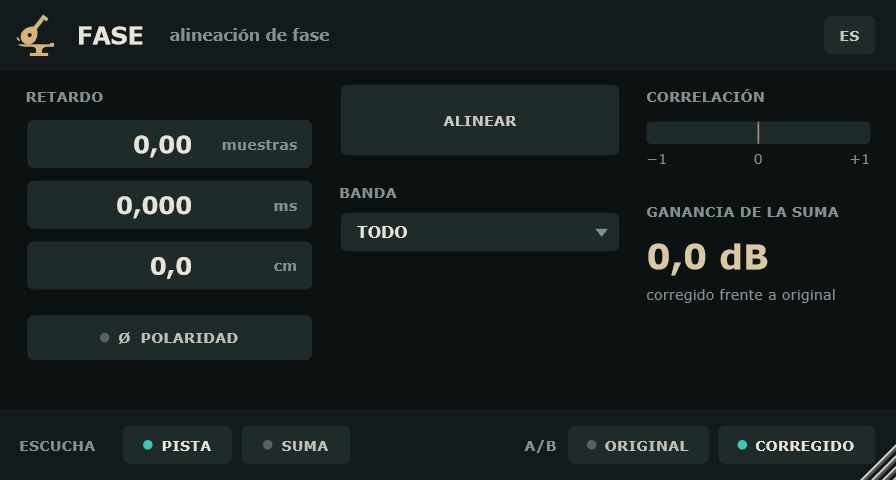
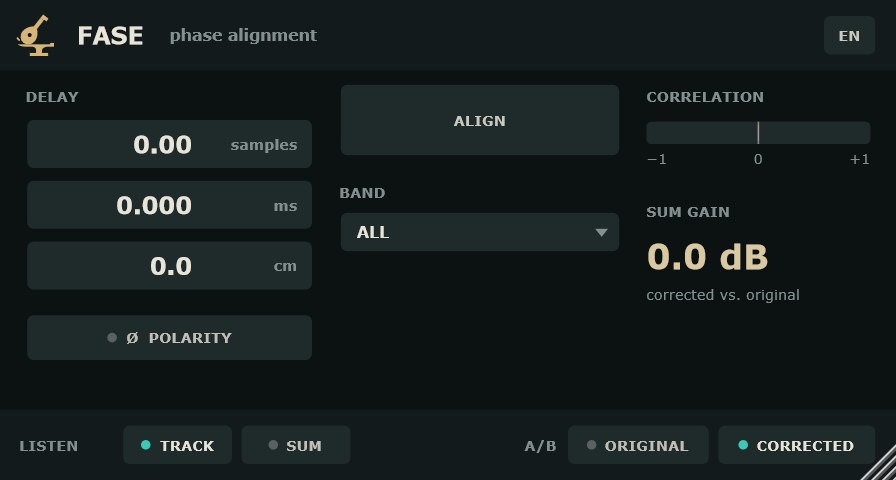
La ventana se puede redimensionar arrastrando la esquina; mantiene la proporción.
The window can be resized from the corner; it keeps its aspect ratio.
Preguntas frecuentesFAQ
¿Es gratis de verdad?Is it really free?
Sí. Sin serie, sin avisos y sin límite de tiempo ni de funciones.
Yes. No serial, no nag screens, no time or feature limits.
¿Qué pista muevo y cuál uso de referencia?Which track do I move and which is the reference?
Mueve la que llega más tarde o la menos importante; la referencia queda quieta. Con la latencia fija, FASE puede retrasar o adelantar hasta 10 ms, así que funciona en los dos sentidos.
Move the track that arrives later or matters less; the reference stays put. Thanks to the fixed latency, FASE can delay or advance by up to 10 ms, so it works either way.
ALINEAR dice «Sin coincidencia clara». ¿Qué hago?ALIGN says "No clear match". What now?
Comprueba que las dos pistas captan la misma fuente y que suenan a la vez en el tramo elegido. Prueba otra BANDA (GRAVES para bombo y bajo, MEDIOS-AGUDOS para tarola o guitarra) y otro tramo de la canción. Si el retardo real supera ±10 ms, muévelo primero en el DAW.
Check that both tracks capture the same source and play together in that section. Try another BAND (LOWS for kick and bass, MIDS-HIGHS for snare or guitar) and another part of the song. If the real offset is beyond ±10 ms, nudge it in the host first.
¿Por qué FASE añade latencia?Why does FASE add latency?
Para poder adelantar la pista hasta 10 ms. La latencia es fija y la compensa el DAW; no cambia aunque muevas el retardo.
So it can move the track up to 10 ms earlier. The latency is fixed and your host compensates for it; it does not change when you move the delay.
¿Puedo automatizar el retardo?Can I automate the delay?
Sí: RETARDO, POLARIDAD y A/B son parámetros. Cada cambio pasa por un fundido de 20 ms, sin chasquidos.
Yes: DELAY, POLARITY and A/B are parameters. Each change goes through a 20 ms crossfade, with no clicks.
¿Cuánta CPU usa?How much CPU does it use?
El consumo de CPU es muy bajo.
CPU use is very low.