 Martillolaud
InstalaciónInstallation
- Descarga el zip de tu sistema y descomprímelo.
- En macOS, abre
LUPA.pkgy sigue los pasos: instala Lupa en AU, VST3 y AAX. - En Windows y Linux, copia
LUPA.vst3en la carpeta de plugins VST3:
WindowsC:\Program Files\Common Files\VST3· Linux~/.vst3 - Abre tu DAW y vuelve a buscar plugins si no aparece. Está bajo el fabricante Martillolaud.
- Download the zip for your system and unzip it.
- On macOS, open
LUPA.pkgand follow the steps: it installs Lupa as AU, VST3 and AAX. - On Windows and Linux, copy
LUPA.vst3to your VST3 plugin folder:
WindowsC:\Program Files\Common Files\VST3· Linux~/.vst3 - Open your DAW and rescan plugins if it does not show up. It is listed under the manufacturer Martillolaud.
Qué es LUPAWhat LUPA is
LUPA es un inspector estéreo y de fase. Lo insertas en una pista, un bus o el máster y te enseña cómo está repartido el sonido entre izquierda y derecha, qué parte está en fase y qué se pierde al sumar a mono. Solo mira: el audio sale bit a bit igual que entra, con latencia cero y sin parámetros.
LUPA is a stereo and phase inspector. Put it on a track, a bus or the master and it shows how the sound is spread between left and right, what is in phase and what is lost in a mono fold-down. It only looks: the audio comes out bit-identical, with zero latency and no parameters.
Sirve en mezcla para revisar graves en contrafase, capas estéreo que se anulan o una mezcla cargada a un lado. En mastering, para comprobar la compatibilidad mono banda a banda antes de entregar. Le sirve a quien mezcla en casa y a quien trabaja en estudio.
In mixing, use it to catch out-of-phase lows, stereo layers that cancel, or a mix leaning to one side. In mastering, use it to check mono compatibility band by band before delivery. It suits home mixers and studio engineers alike.
- Transparente
- El audio pasa bit a bit igual, sin latencia. Puedes dejarlo en el máster todo el proyecto.
- Suma a mono por bandas
- Pérdida, correlación y ancho en total y en cuatro bandas fijas: ves dónde está el problema.
- Graves por separado
- Una barra de correlación solo para lo que está por debajo de 150 Hz.
- Lectura doble
- Barras rápidas (300 ms) para seguir la música; cifras lentas (media de 3 s) para leer con calma.
- Español e inglés
- Cambia de idioma con un clic en la cabecera.
- Transparent
- Audio passes bit-identical, with no latency. You can leave it on the master for the whole project.
- Per-band mono sum
- Loss, correlation and width for the full signal and four fixed bands, so you see where the problem is.
- Low end on its own
- A correlation bar just for content below 150 Hz.
- Two speeds
- Fast bars (300 ms) to follow the music; slow figures (3 s average) to read calmly.
- Spanish and English
- Switch language with one click in the header.
La ventanaThe window
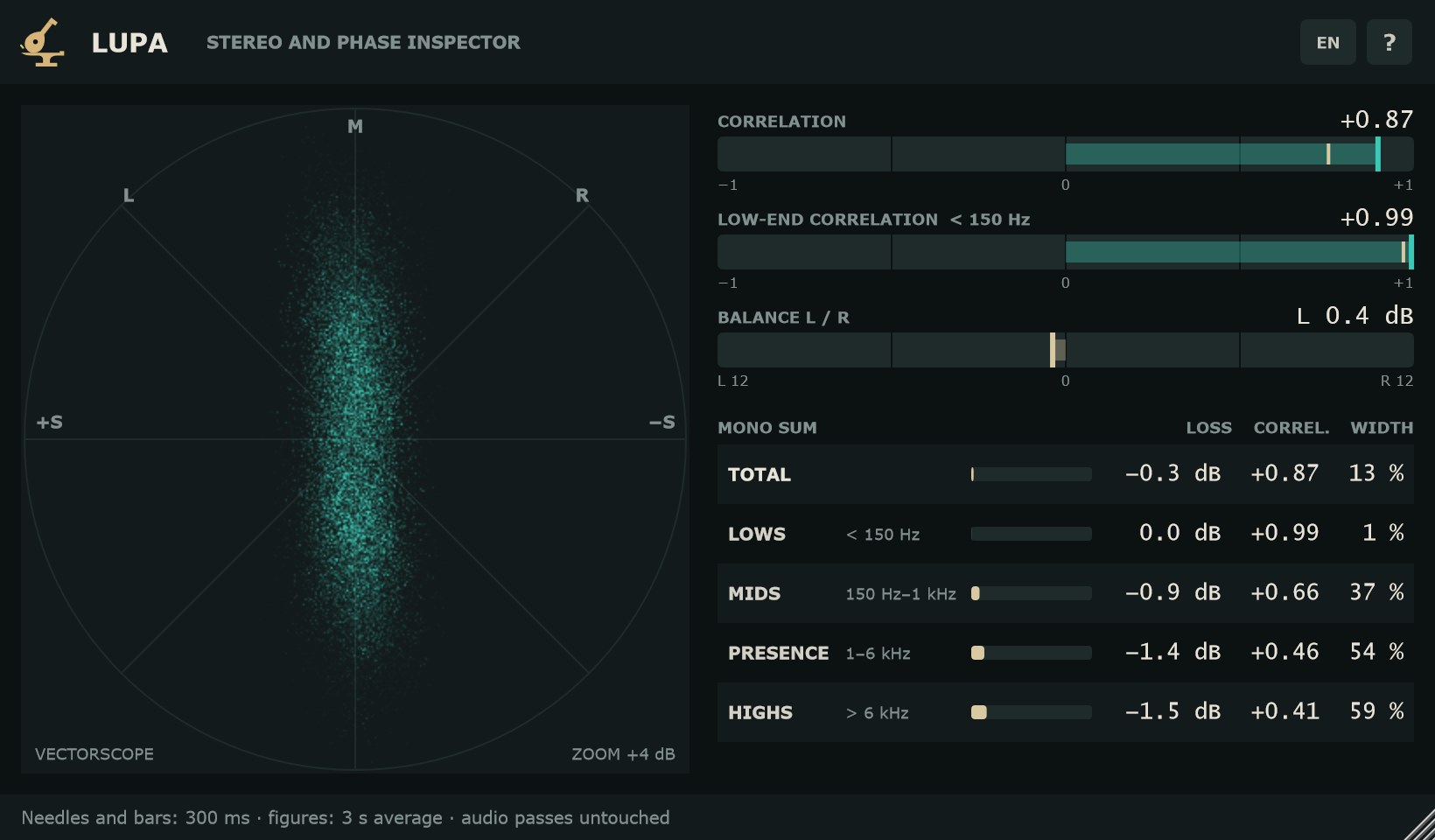
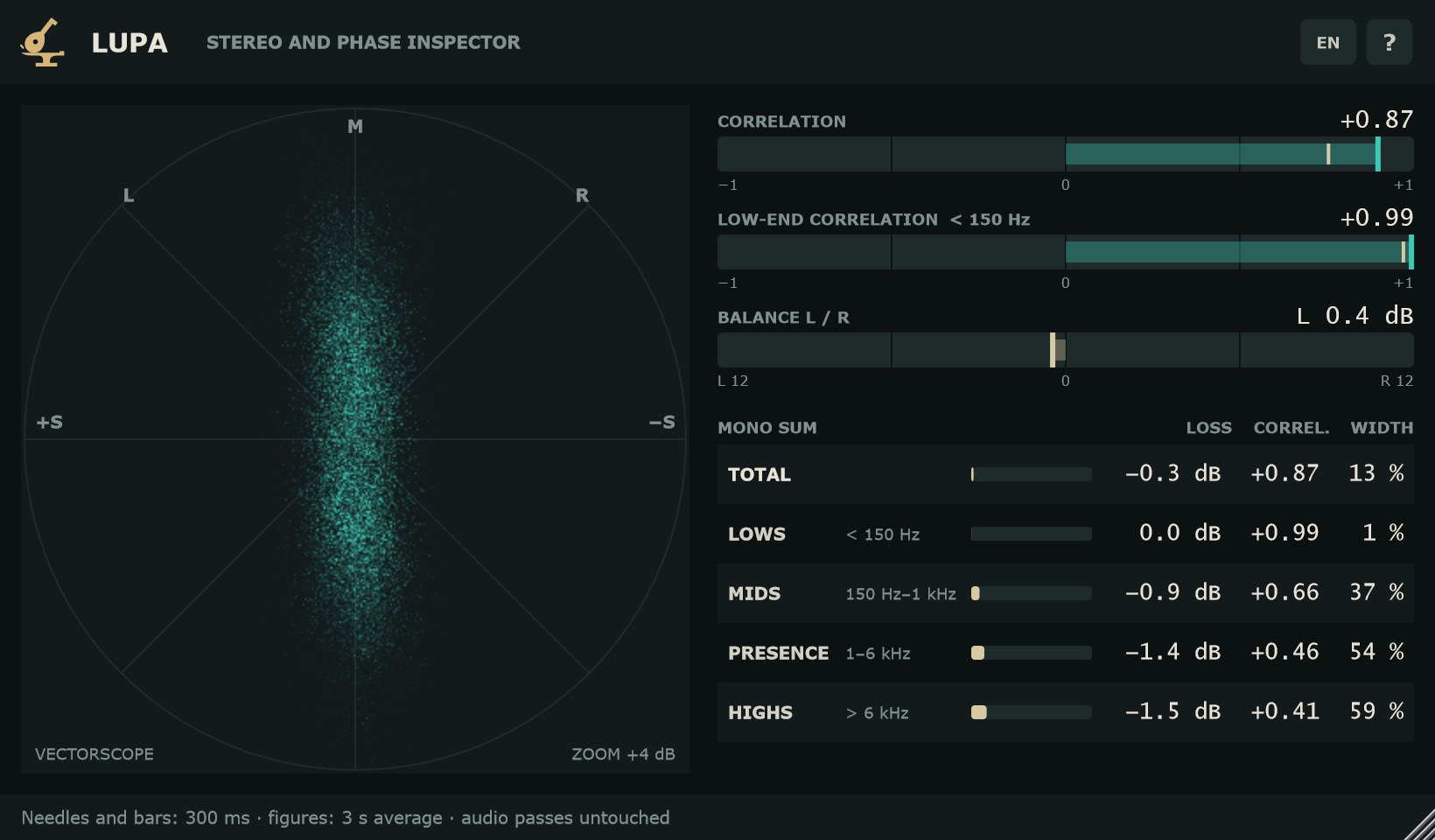
LUPA no tiene parámetros: todo lo que ves son lecturas. La ventana mide 820 × 480 de serie y se redimensiona arrastrando la esquina, de 640 × 400 a 1800 × 1100. Pasa el ratón por cualquier zona y una ayuda explica qué está leyendo.
LUPA has no parameters: everything you see is a reading. The window is 820 × 480 by default and resizes by dragging the corner, from 640 × 400 to 1800 × 1100. Hover over any area and a tooltip explains what it shows.
- ES / EN
- Botón de la cabecera. Un clic cambia el idioma de toda la interfaz. En inglés las cifras usan punto decimal. El idioma se recuerda para la próxima vez.
- ?
- Abre un resumen de qué mide LUPA: tiempos de lectura y límites de las bandas.
- ENTRADA MONO
- Aviso en la cabecera cuando la pista que lo lleva es mono. En ese caso L y R son iguales y las lecturas lo reflejan.
- Pie de la ventana
- Recuerda los tiempos de lectura: las barras siguen los últimos 300 ms, las cifras son la media de 3 s, y el audio pasa intacto.
- ES / EN
- Header button. One click switches the whole interface language. In English, figures use a decimal point. The language is remembered for next time.
- ?
- Opens a summary of what LUPA measures: reading times and band limits.
- MONO INPUT
- Header notice when the track it sits on is mono. L and R are then identical and the readings show it.
- Footer
- A reminder of the reading times: the bars follow the last 300 ms, the figures are a 3 s average, and the audio passes untouched.
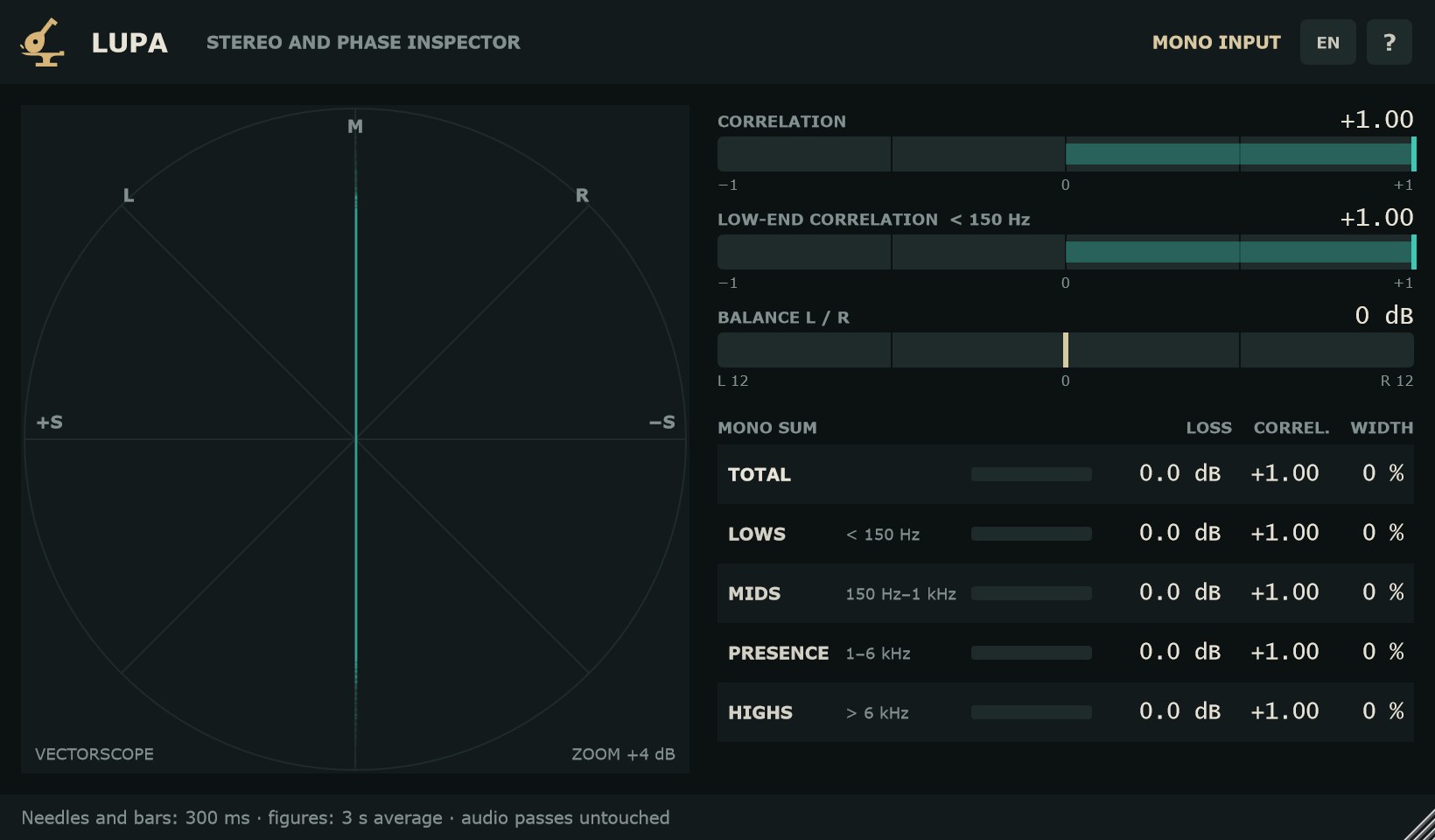
VectorscopioVectorscope
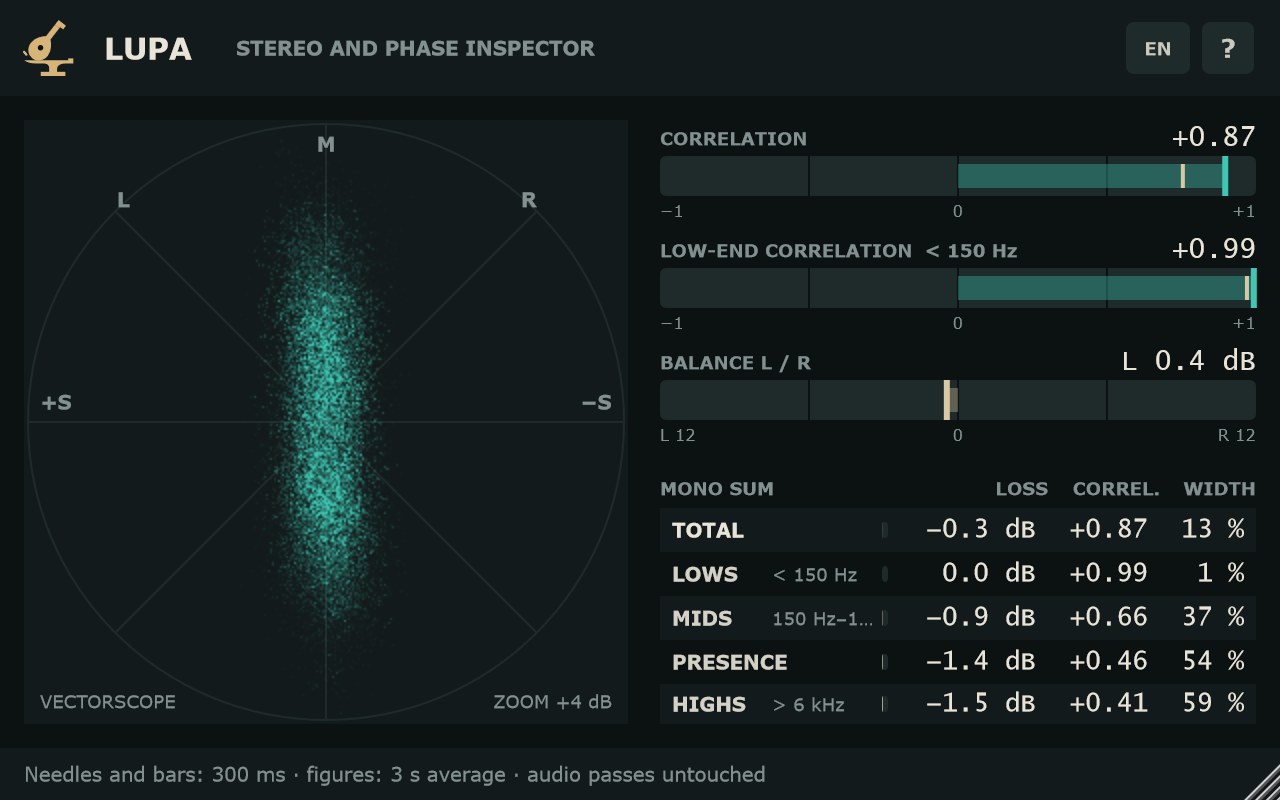
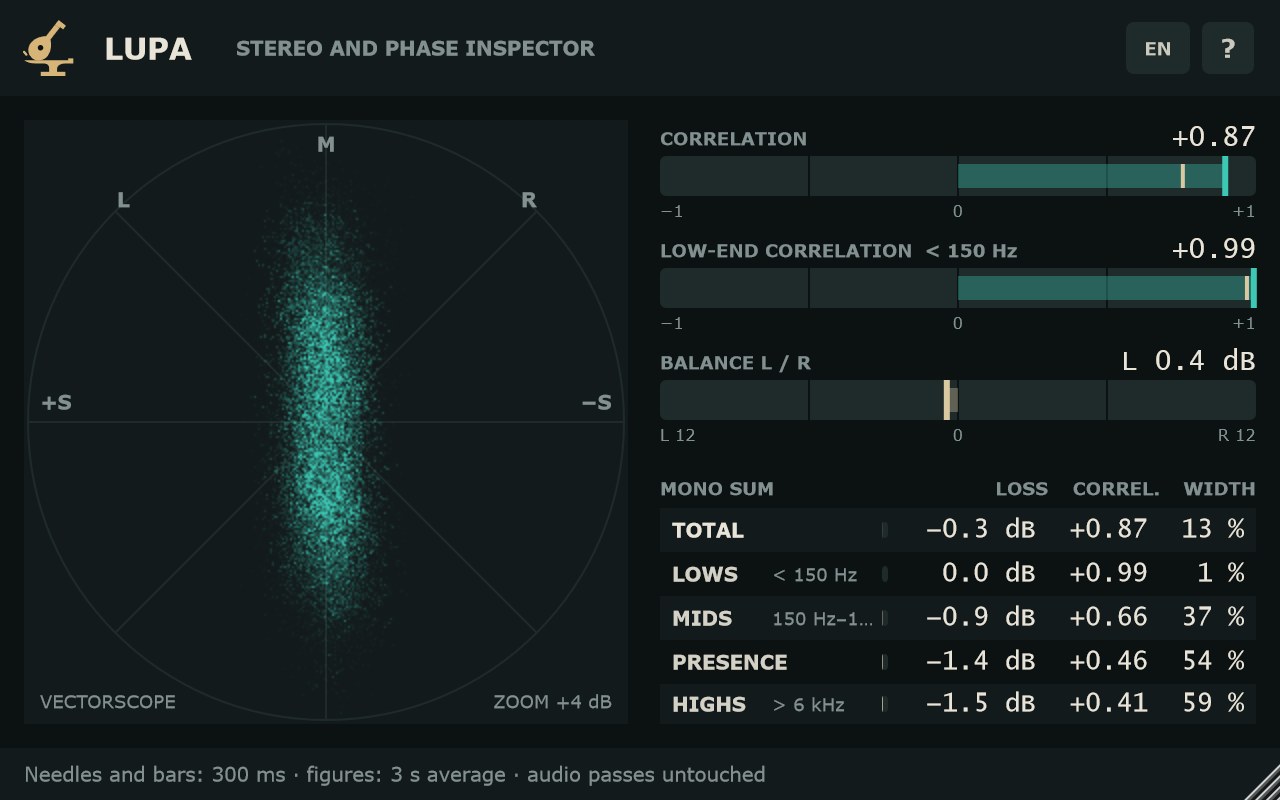
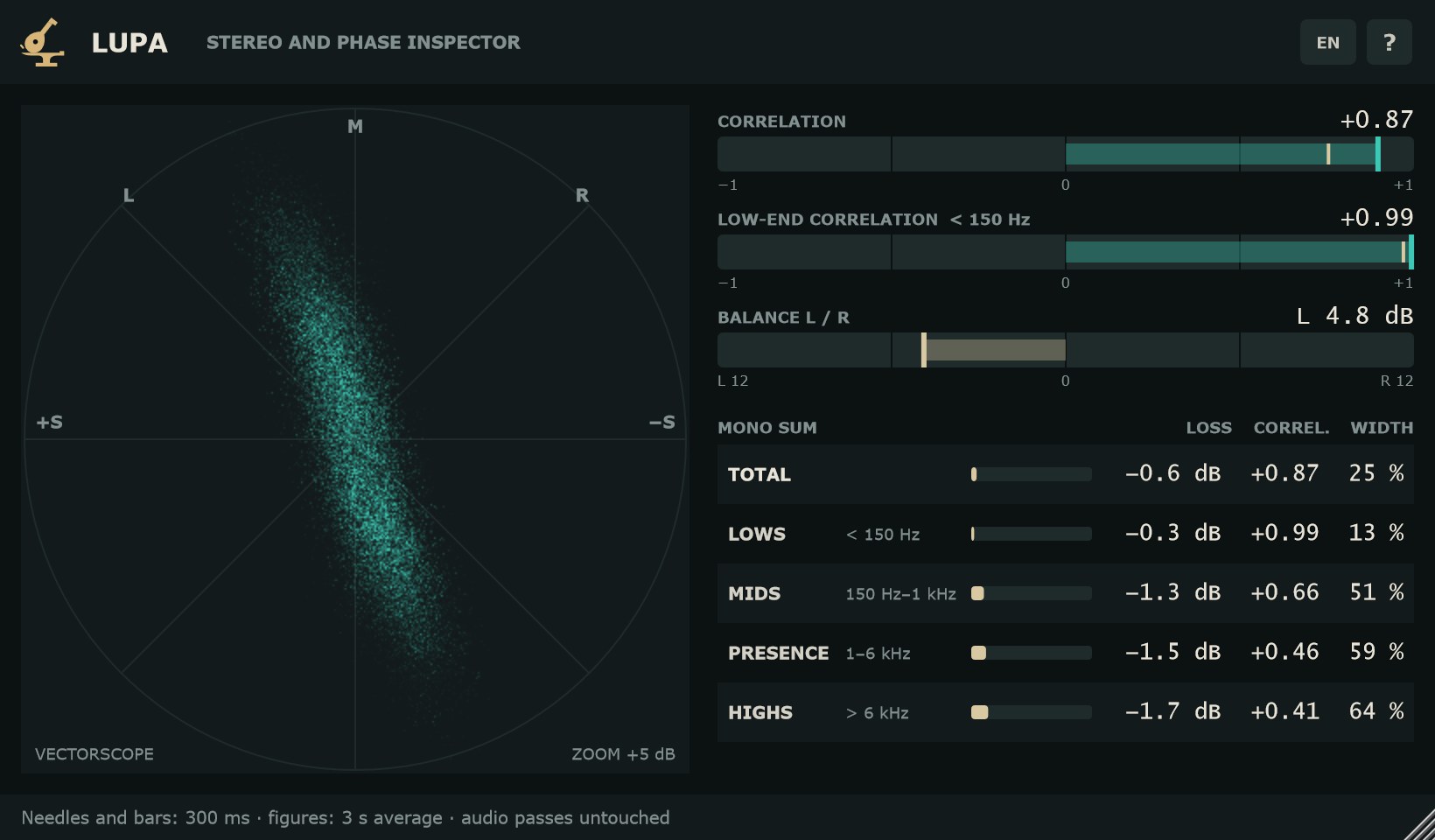
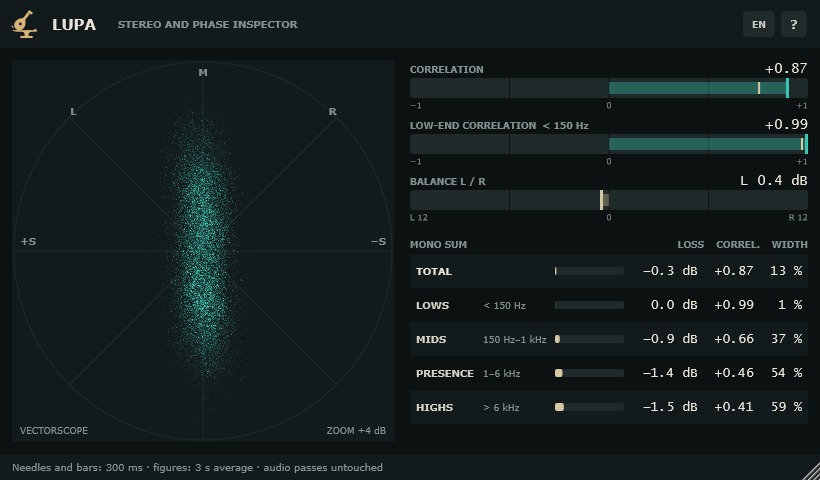
Cada punto es una muestra en M/S: M (centro) arriba, L y R en las diagonales. Los puntos dejan un rastro de fósforo que se apaga en unos fotogramas. El zoom sigue al nivel, así que una mezcla floja se ve igual de grande que una fuerte.
Each dot is one sample in M/S: M (centre) at the top, L and R on the diagonals. Dots leave a phosphor trail that fades over a few frames. The zoom follows the level, so a quiet mix fills the view as much as a loud one.
- Raya vertical
- Mono: L y R iguales.
- Mancha redonda
- Estéreo ancho: L y R sin relación.
- Raya horizontal
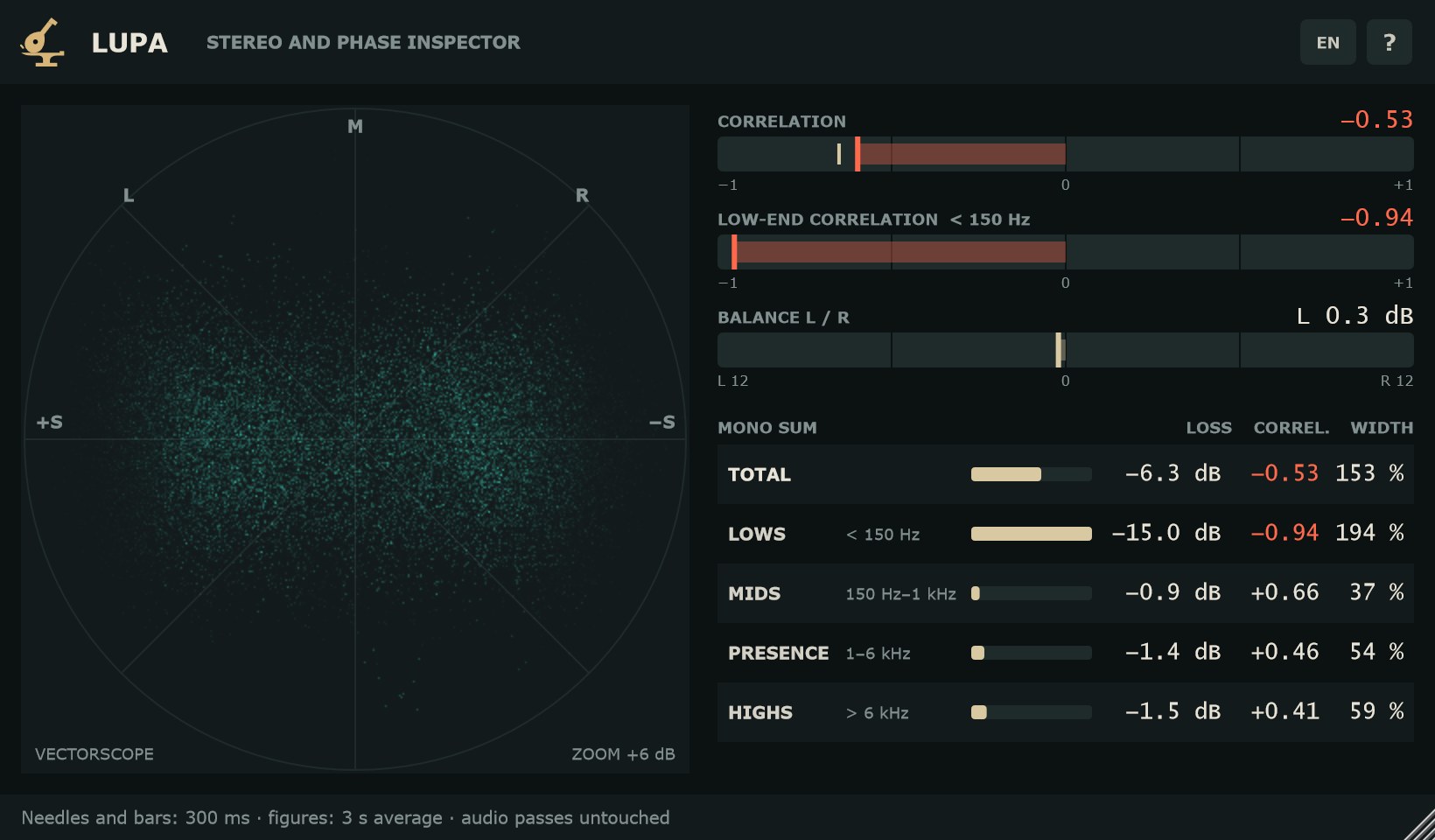
- Contrafase: L y R opuestos, se anulan al sumar a mono.
- Raya inclinada hacia L o R
- Señal cargada a un lado.
- SIN SEÑAL
- Aparece cuando no entra audio.
- Vertical line
- Mono: L and R identical.
- Round blob
- Wide stereo: L and R unrelated.
- Horizontal line
- Out of phase: L and R opposed, they cancel in mono.
- Line tilted toward L or R
- Signal leaning to one side.
- NO SIGNAL
- Shown when no audio comes in.
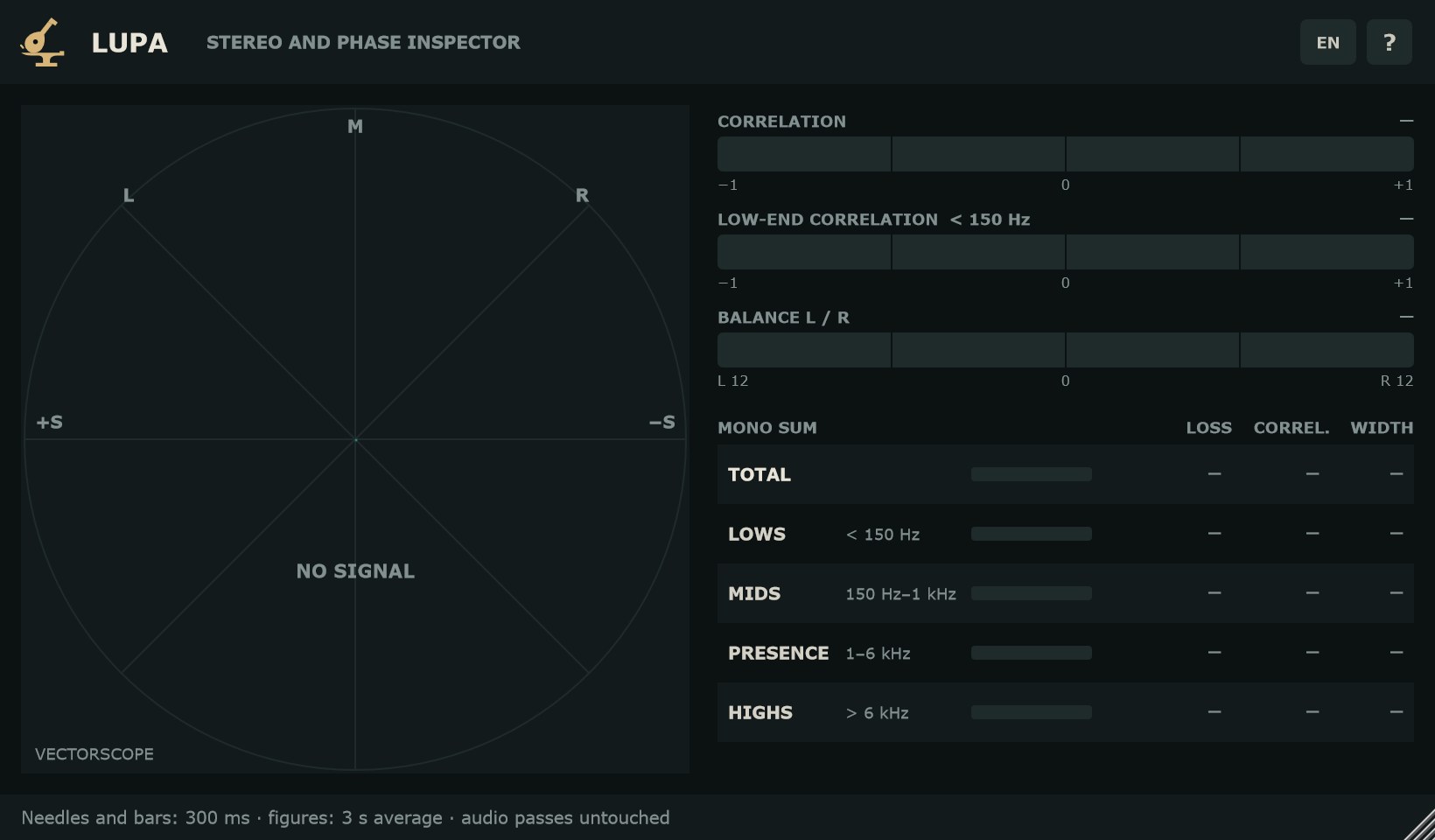
Correlación y balanceCorrelation and balance
Cada medidor es una barra rápida (300 ms), con la cifra lenta (media de 3 s) arriba a la derecha. Con silencio (por debajo de −70 dBFS) la cifra sale «—» y la barra se apaga.
Each meter is a fast bar (300 ms), with the slow figure (3 s average) at the top right. In silence (below −70 dBFS) the figure reads “—” and the bar goes dark.
- CORRELACIÓN
- De −1 a +1. +1: L y R iguales (mono). 0: sin relación (estéreo ancho). Bajo 0: contrafase; la cifra se pinta en color de aviso. La marca de arena es el mínimo de los últimos 3 s, para no perder un pico negativo breve.
- CORRELACIÓN DE GRAVES < 150 Hz
- La misma lectura, solo con lo que está por debajo de 150 Hz. Es donde la contrafase más daño hace en mono.
- BALANCE L / R
- Diferencia de nivel entre L y R, con ±12 dB a la vista. «L 1,5 dB» quiere decir que la izquierda suena 1,5 dB más fuerte; «0 dB», centrado.
- CORRELATION
- From −1 to +1. +1: L and R identical (mono). 0: unrelated (wide stereo). Below 0: out of phase; the figure turns the warning colour. The sand mark is the minimum of the last 3 s, so a short negative dip is not missed.
- LOW-END CORRELATION < 150 Hz
- The same reading, only for content below 150 Hz. That is where out-of-phase content hurts most in mono.
- BALANCE L / R
- Level difference between L and R, with ±12 dB in view. “L 1.5 dB” means the left is 1.5 dB louder; “0 dB” means centred.
Suma a mono por bandasMono sum by band
La tabla muestra qué pasa al sumar L y R a mono, en total y en cuatro bandas fijas: GRAVES (< 150 Hz), MEDIOS (150 Hz–1 kHz), PRESENCIA (1–6 kHz) y AGUDOS (> 6 kHz). Una banda casi vacía (30 dB por debajo del total) sale en «—» para no dar cifras de ruido.
The table shows what happens when L and R are summed to mono, for the full signal and four fixed bands: LOWS (< 150 Hz), MIDS (150 Hz–1 kHz), PRESENCE (1–6 kHz) and HIGHS (> 6 kHz). A nearly empty band (30 dB below the total) reads “—” so it does not show noise figures.
- SE PIERDE
- Cuánto baja el nivel al sumar a mono. 0 dB: nada (mono). −3 dB: estéreo descorrelado. Más abajo: contrafase. Barra rápida de 0 a −12 dB y cifra lenta; por debajo de −40 dB se lee «< −40 dB».
- CORREL.
- Correlación de esa banda, de −1 a +1. En color de aviso si es negativa.
- ANCHO
- 0 %: mono. 100 %: L y R independientes. 200 %: contrafase.
- LOSS
- How much the level drops when summed to mono. 0 dB: none (mono). −3 dB: uncorrelated stereo. Lower: out of phase. Fast bar from 0 to −12 dB plus a slow figure; below −40 dB it reads “< −40 dB”.
- CORREL.
- Correlation of that band, from −1 to +1. Warning colour when negative.
- WIDTH
- 0 %: mono. 100 %: independent L and R. 200 %: out of phase.
Paso a paso: revisar una mezclaStep by step: checking a mix
- Inserta LUPA al final del bus de mezcla o del máster. No cambia el sonido ni añade latencia.
- Reproduce la parte más densa del tema. Mira el vectorscopio: una forma alta y algo abierta es lo normal en una mezcla.
- Mira CORRELACIÓN DE GRAVES. Debe quedarse cerca de +1. Si baja de 0, algo en los graves está en contrafase.
- Ve a la tabla. Si GRAVES pierde mucho más que TOTAL, busca la pista culpable: mueve LUPA a cada bus de graves (bombo, bajo, sintes) hasta encontrarla.
- Corrige la polaridad o el estéreo de esa pista y vuelve a mirar: la pérdida de GRAVES debe acercarse a 0 dB.
- Revisa PRESENCIA y AGUDOS: pérdidas cerca de −3 dB son estéreo normal; muy por debajo, una capa estéreo se está anulando.
- Comprueba BALANCE L / R en el estribillo. Una cifra estable de más de 1 dB indica una mezcla cargada a un lado.
- Insert LUPA at the end of the mix bus or master. It does not change the sound or add latency.
- Play the densest section of the song. Watch the vectorscope: a tall, slightly open shape is normal for a mix.
- Watch LOW-END CORRELATION. It should stay close to +1. If it drops below 0, something in the low end is out of phase.
- Go to the table. If LOWS loses much more than TOTAL, find the culprit: move LUPA to each low-end bus (kick, bass, synths) until you find it.
- Fix the polarity or stereo of that track and look again: LOWS loss should move toward 0 dB.
- Check PRESENCE and HIGHS: losses around −3 dB are normal stereo; far below that, a stereo layer is cancelling.
- Check BALANCE L / R in the chorus. A steady reading over 1 dB means the mix leans to one side.
Preguntas frecuentesFAQ
¿Es gratis de verdad?Is it really free?
Sí. Sin serie, sin aviso y sin límite de tiempo.
Yes. No serial, no nag screen and no time limit.
¿Cambia el sonido?Does it change the sound?
No. El audio sale bit a bit igual que entra, con latencia cero.
No. Audio comes out bit-identical to what goes in, with zero latency.
¿Por qué la barra y la cifra no dicen lo mismo?Why don't the bar and the figure match?
Porque miden en tiempos distintos. La barra sigue los últimos 300 ms; la cifra es la media de los últimos 3 s. La barra enseña los momentos; la cifra, la tendencia.
They work on different time scales. The bar follows the last 300 ms; the figure is the average of the last 3 s. The bar shows moments; the figure shows the trend.
¿Qué significa «—»?What does “—” mean?
Que no hay señal suficiente para medir: silencio (por debajo de −70 dBFS) o una banda casi vacía respecto al total.
There is not enough signal to measure: silence (below −70 dBFS) or a band that is nearly empty compared to the total.
¿Funciona en pistas mono?Does it work on mono tracks?
Sí. La cabecera muestra ENTRADA MONO y las lecturas indican mono: correlación +1, pérdida 0 dB, ancho 0 %.
Yes. The header shows MONO INPUT and the readings show mono: correlation +1, 0 dB loss, 0 % width.
¿En qué formatos está?Which formats are available?
VST3 en Windows, macOS y Linux; AU y AAX en macOS.
VST3 on Windows, macOS and Linux; AU and AAX on macOS.
¿Cuánta CPU usa?How much CPU does it use?
El consumo de CPU es muy bajo.
CPU usage is very low.