 Martillolaud
InstalaciónInstallation
- Descarga el zip de tu sistema y descomprímelo.
- En macOS, abre
NIVEL.pkgy sigue los pasos: instala Nivel en AU, VST3 y AAX. - En Windows y Linux, copia
NIVEL.vst3en la carpeta de plugins VST3:
WindowsC:\Program Files\Common Files\VST3· Linux~/.vst3 - Abre tu DAW y vuelve a buscar plugins si no aparece. Está bajo el fabricante Martillolaud.
- Download the zip for your system and unzip it.
- On macOS, open
NIVEL.pkgand follow the steps: it installs Nivel as AU, VST3 and AAX. - On Windows and Linux, copy
NIVEL.vst3to your VST3 plugin folder:
WindowsC:\Program Files\Common Files\VST3· Linux~/.vst3 - Open your DAW and rescan plugins if it does not show up. It is listed under the manufacturer Martillolaud.
Qué es NIVELWhat NIVEL is
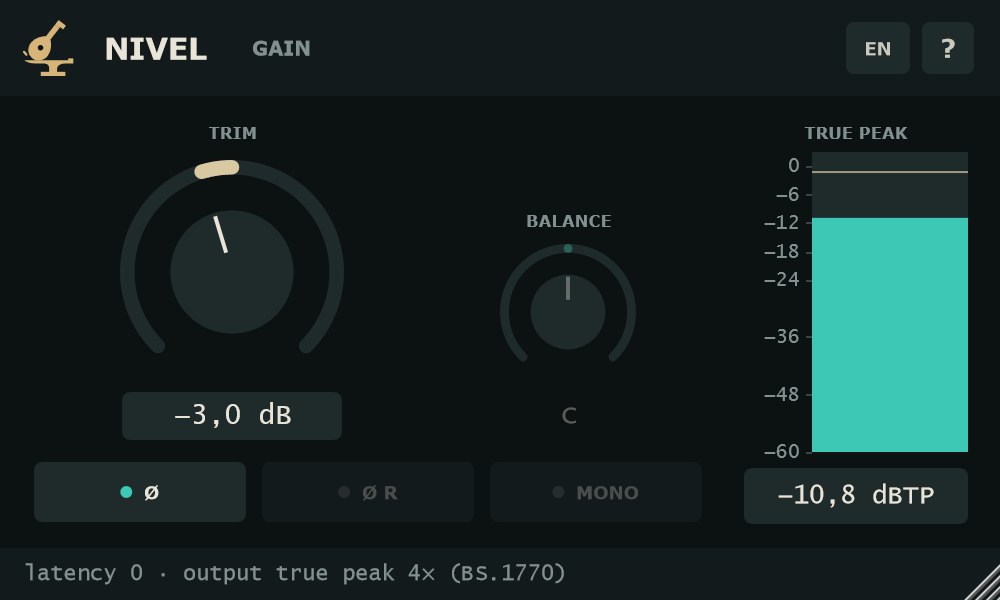
NIVEL es un inserto pequeño para el gain staging. Sube o baja una pista, invierte la polaridad de un canal, centra la imagen o súmala a mono, y mira el pico real de la salida mientras lo haces.
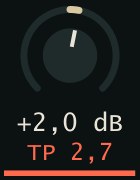
En mezcla sirve para dejar cada pista en su sitio antes de la cadena de efectos, comprobar la fase de dos micrófonos o escuchar la suma a mono. En mastering, el medidor de true peak marca −1 dBTP y avisa en color cuando la salida pasa de 0 dBTP. Funciona con latencia cero y suena igual en la exportación: es parte de la mezcla.
NIVEL is a small insert for gain staging. Raise or lower a track, flip the polarity of one channel, centre the image or sum it to mono, and watch the real output peak while you do it.
In mixing it sets each track's level before the effects chain, checks the phase between two microphones and lets you hear the mono sum. In mastering, the true peak meter marks −1 dBTP and changes colour when the output goes over 0 dBTP. It runs at zero latency and sounds the same on export: it is part of the mix.
- TRIM de ±24 dB
- Paso de 0,01 dB, con ajuste fino y valor escrito a mano.
- Polaridad, balance y mono
- Los cambios se funden en 20 ms: sin chasquidos al conmutar.
- True peak 4× (BS.1770-4)
- Barras L y R de la salida y el máximo retenido en dBTP.
- Neutro exacto
- Con todo en su valor de serie, la salida es la entrada bit a bit. Latencia cero.
- Vista en la pista de REAPER
- TRIM y true peak directamente en el panel de pistas y en el mezclador.
- ±24 dB TRIM
- 0.01 dB steps, with fine adjustment and typed entry.
- Polarity, balance and mono
- Changes crossfade over 20 ms: no clicks when switching.
- 4× true peak (BS.1770-4)
- Output L and R bars and the held maximum in dBTP.
- Bit-exact when neutral
- With everything at default, the output is the input, bit for bit. Zero latency.
- Embedded view in REAPER
- TRIM and true peak right in the track panel and the mixer.
ControlesControls
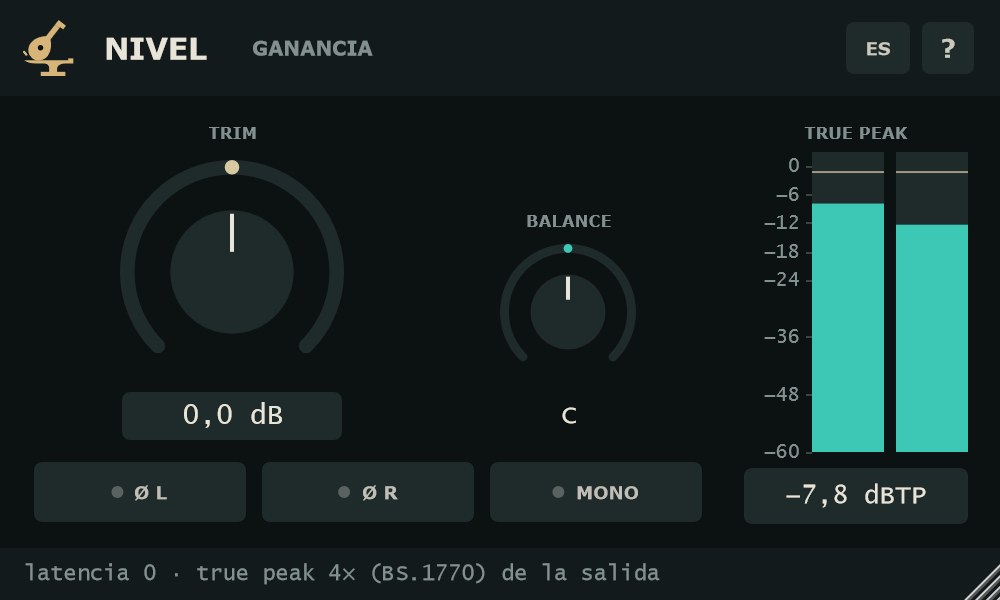
Orden de la señal: polaridad → MONO → BALANCE → TRIM → medidor. Cualquier cambio llega en un fundido de 20 ms.
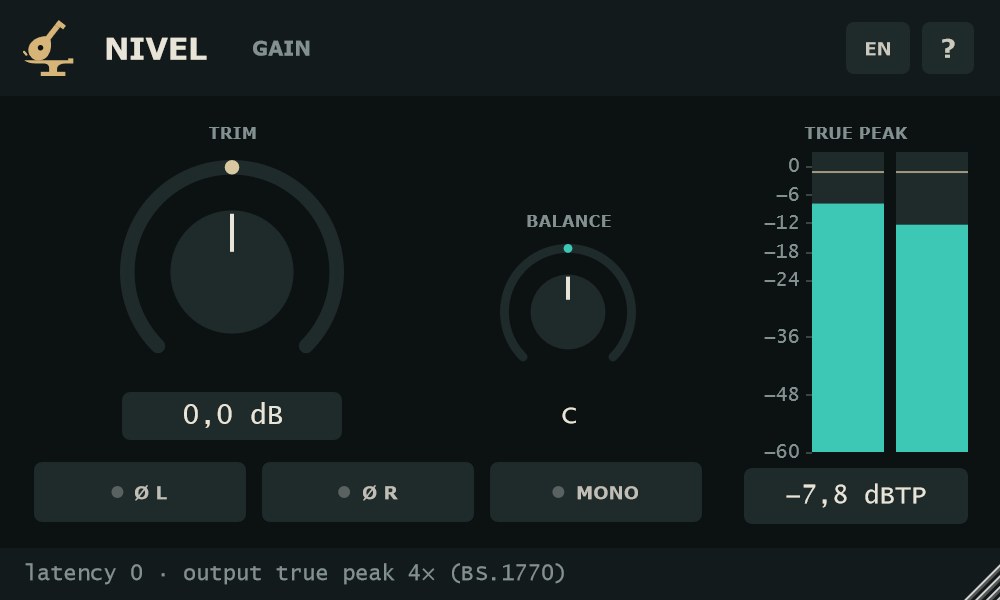
Signal order: polarity → MONO → BALANCE → TRIM → meter. Every change arrives through a 20 ms crossfade.
- TRIM
- Ganancia de −24 a +24 dB, de serie 0 dB, en pasos de 0,01 dB. Arrastra arriba o abajo; Shift + arrastrar = ajuste fino (10 veces más lento). Doble clic en la perilla o en el valor = escribir la cifra y Enter (Esc cancela; acepta coma o punto). Alt + clic = 0 dB.
- BALANCE
- De L 100 a R 100, de serie C (centro). Baja solo el lado contrario, de forma lineal: en R 50 el izquierdo queda a la mitad (−6 dB) y en R 100 en silencio. En el centro no toca nada. Shift + arrastrar = fino; doble clic o Alt + clic = centro.
- Ø L
- Invierte la polaridad del canal izquierdo.
- Ø R
- Invierte la polaridad del canal derecho.
- MONO
- Suma a mono: (L + R) / 2 por los dos lados. Va después de la polaridad, así que con MONO activo oyes qué pasa al invertir un canal.
- ES / EN
- Botón de idioma, siempre a la vista en la cabecera. Se recuerda para todas las instancias.
- ?
- Versión y un resumen de la herramienta.
- TRIM
- Gain from −24 to +24 dB, 0 dB by default, in 0.01 dB steps. Drag up or down; Shift + drag = fine (10 times slower). Double-click the knob or the value = type a number and press Enter (Esc cancels; comma or dot both work). Alt + click = 0 dB.
- BALANCE
- From L 100 to R 100, C (centre) by default. It lowers only the opposite side, linearly: at R 50 the left channel sits at half level (−6 dB), at R 100 it is silent. At centre it does nothing. Shift + drag = fine; double-click or Alt + click = centre.
- Ø L
- Inverts the polarity of the left channel.
- Ø R
- Inverts the polarity of the right channel.
- MONO
- Sums to mono: (L + R) / 2 on both sides. It comes after polarity, so with MONO on you hear what flipping one channel does.
- ES / EN
- Language button, always visible in the header. It is remembered for every instance.
- ?
- Version and a short summary of the tool.
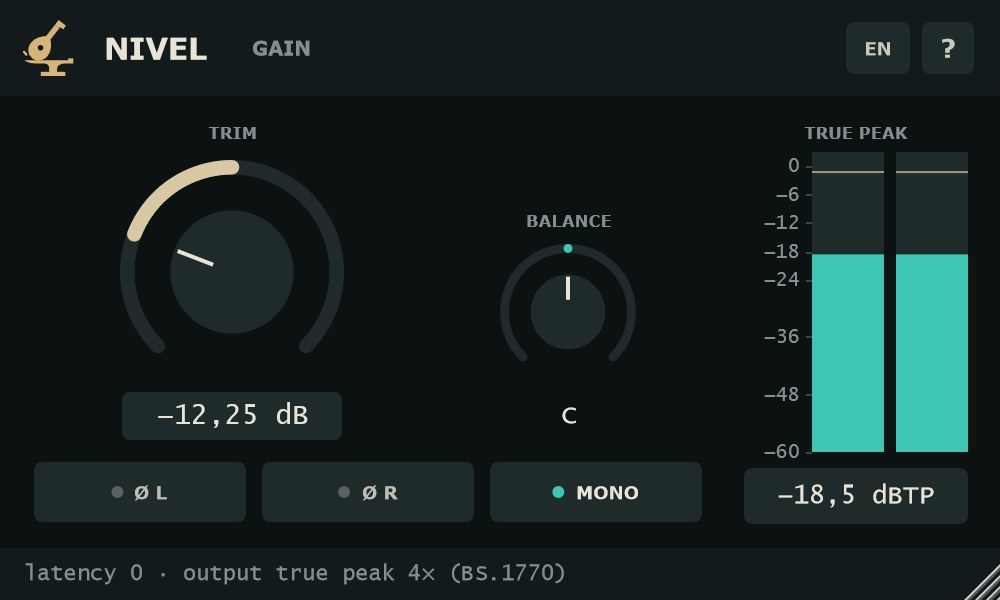
Medidor TRUE PEAKTRUE PEAK meter
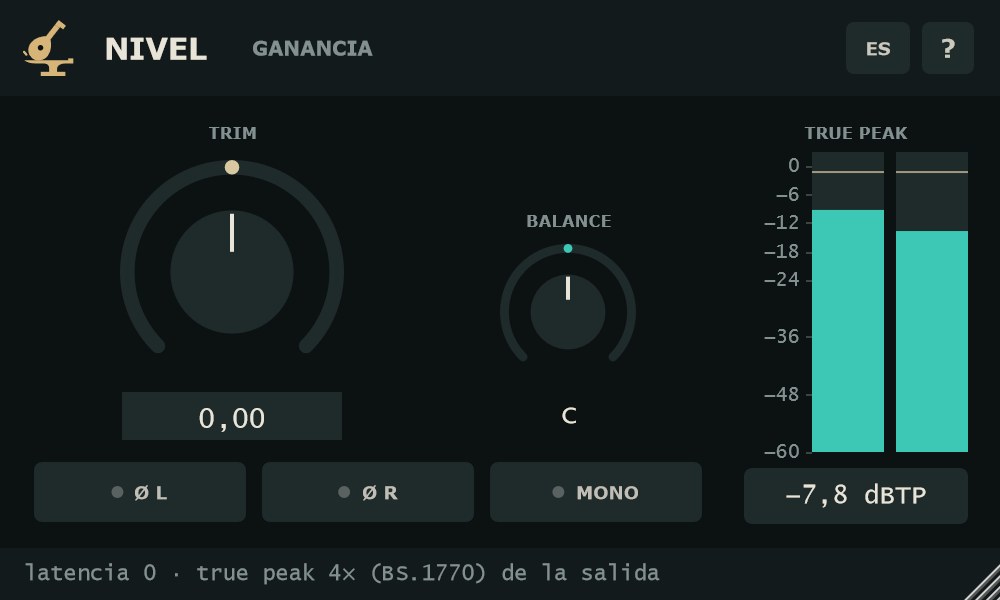
Mide la salida de NIVEL, después de todos los controles. Sobremuestrea 4× con el filtro del anexo 2 de BS.1770-4, también a 96 kHz o más, y muestra el pico entre muestras en dBTP.
- Barras L y R
- Escala de +3 a −60 dBTP. Caen a 20 dB/s. Una línea marca −1 dBTP, el límite de entrega habitual; lo que pasa de 0 dBTP se pinta en el color de aviso.
- Máximo retenido
- El pico más alto desde el último reinicio, en número bajo las barras. Por encima de 0 dBTP cambia al color de aviso.
- Reiniciar
- Clic en las barras o en el número. El máximo no se guarda con la sesión.
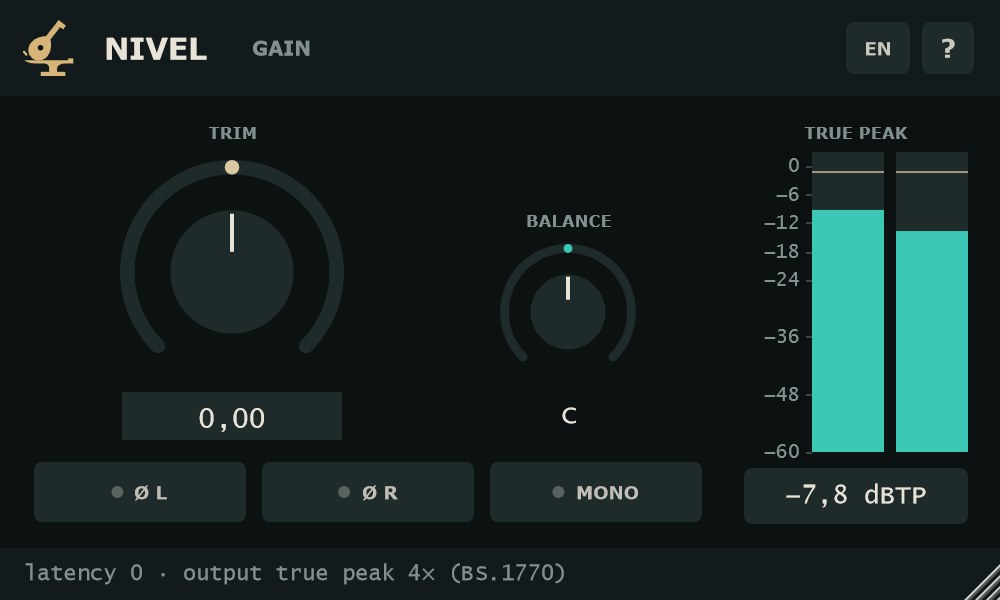
It measures NIVEL's output, after every control. It oversamples 4× with the filter from Annex 2 of BS.1770-4, also at 96 kHz and above, and shows the inter-sample peak in dBTP.
- L and R bars
- Scale from +3 to −60 dBTP. They fall at 20 dB/s. A line marks −1 dBTP, the usual delivery ceiling; anything above 0 dBTP is drawn in the warning colour.
- Held maximum
- The highest peak since the last reset, shown as a number below the bars. Above 0 dBTP it turns to the warning colour.
- Reset
- Click the bars or the number. The maximum is not saved with the session.
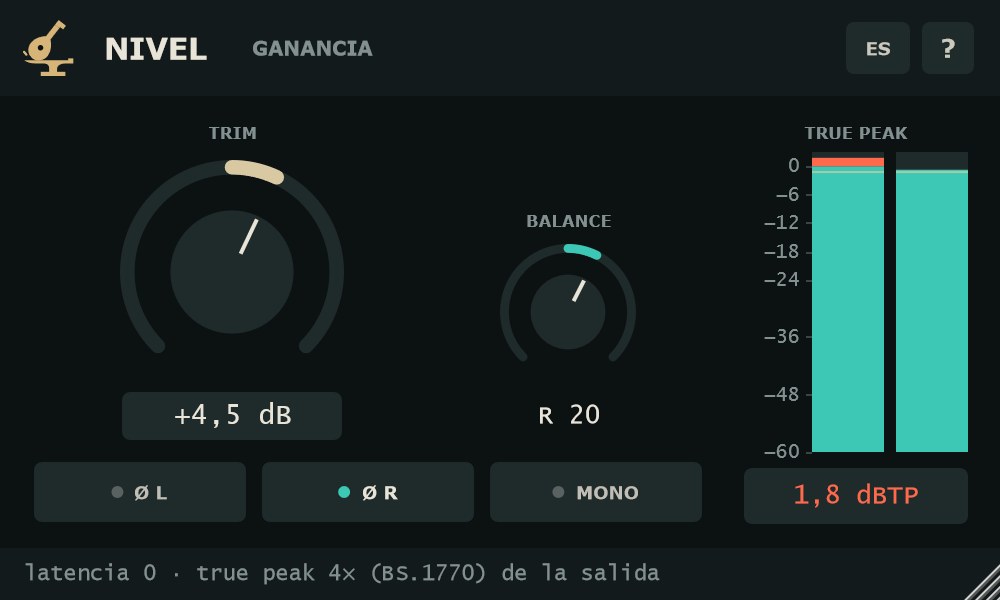
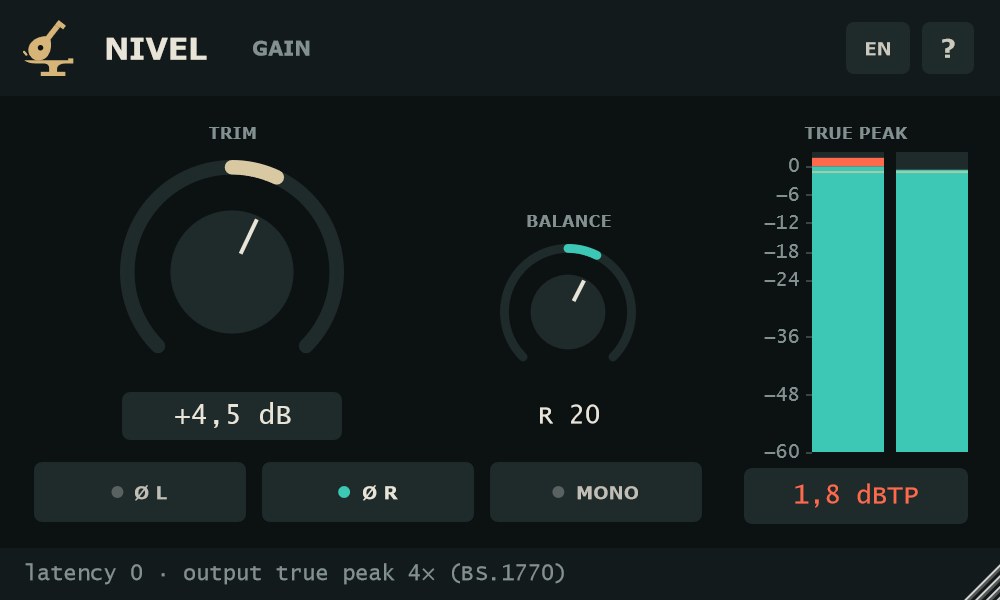
En una pista monoOn a mono track
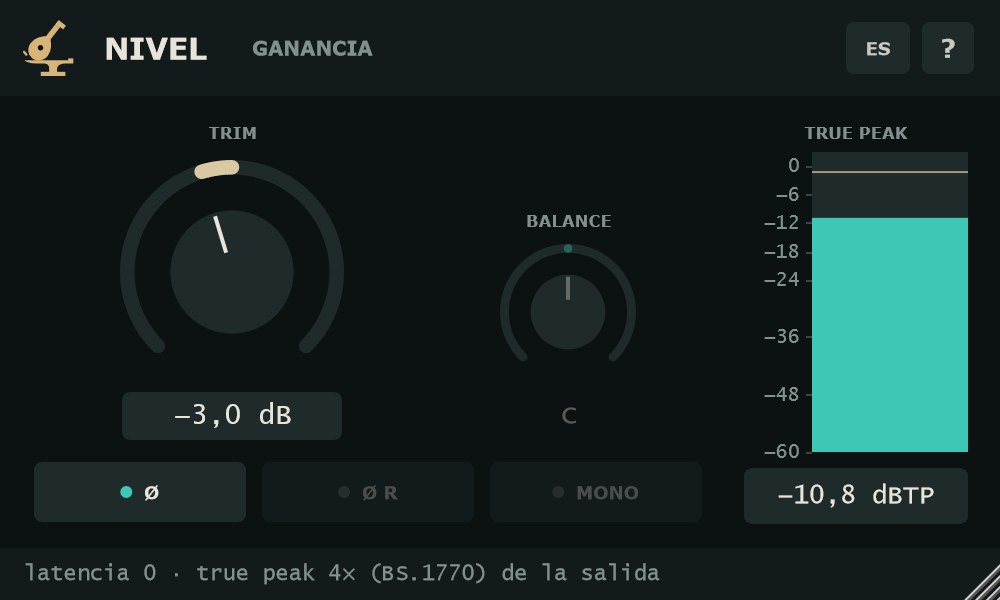
En un bus mono solo cuentan TRIM y la polaridad, que pasa a llamarse Ø. Ø R, MONO y BALANCE se apagan y el medidor muestra una sola barra.
On a mono bus only TRIM and polarity apply; the polarity button becomes Ø. Ø R, MONO and BALANCE are greyed out and the meter shows a single bar.
Vista en la pista de REAPEREmbedded view in REAPER
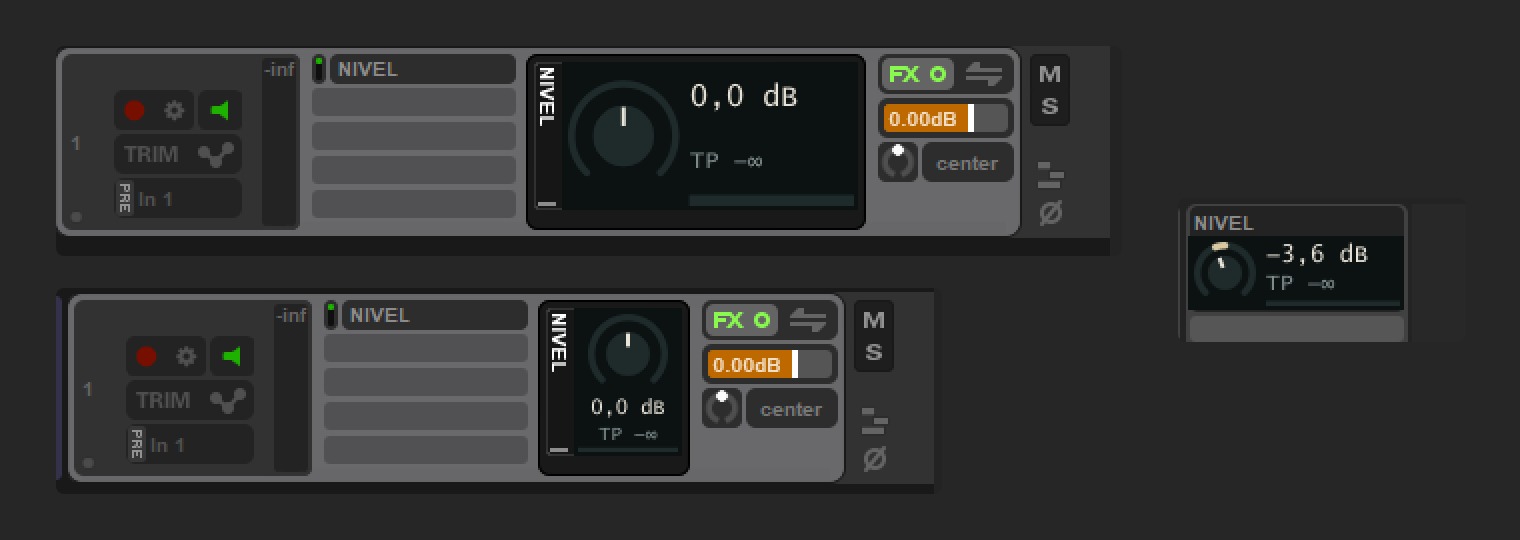
En REAPER 6.24 o posterior, NIVEL se puede ver dentro de la pista y del mezclador. Clic derecho en el efecto → «Show embedded UI in TCP/MCP».
- Perilla TRIM
- Arrastrar arriba o abajo; Shift = fino. Rueda: 0,5 dB por paso (Shift: 0,1 dB). Doble clic o Alt + clic = 0 dB.
- TP
- El true peak de la salida en pequeño, con el máximo retenido. Clic = reiniciar.
- Clic derecho
- Queda para el menú de REAPER.
In REAPER 6.24 or later, NIVEL can be shown inside the track and the mixer. Right-click the effect → “Show embedded UI in TCP/MCP”.
- TRIM knob
- Drag up or down; Shift = fine. Wheel: 0.5 dB per step (Shift: 0.1 dB). Double-click or Alt + click = 0 dB.
- TP
- The output true peak in compact form, with the held maximum. Click = reset.
- Right-click
- Left to REAPER's own menu.
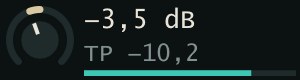
Paso a paso: dos micrófonos en una tarolaStep by step: two mics on a snare
- Pon NIVEL en una pista estéreo con el micrófono de arriba en L y el de abajo en R.
- Activa MONO y escucha la suma.
- Pulsa Ø R. Si el cuerpo de la tarola crece, deja la polaridad invertida; si se adelgaza, vuelve a pulsarlo.
- Desactiva MONO y ajusta BALANCE hasta que el lado de abajo quede donde lo quieres.
- Con TRIM, lleva el pico al nivel que espera la cadena de efectos. Clic en el medidor para reiniciar el máximo y reproduce el pasaje más fuerte.
- Put NIVEL on a stereo track with the top mic on L and the bottom mic on R.
- Turn MONO on and listen to the sum.
- Press Ø R. If the body of the snare gets bigger, keep the polarity flipped; if it thins out, press it again.
- Turn MONO off and set BALANCE until the bottom side sits where you want it.
- Use TRIM to bring the peak to the level the effects chain expects. Click the meter to reset the maximum and play the loudest passage.
FormatosFormats
VST3 en Windows, macOS y Linux. AU y AAX en macOS. Estéreo o mono.
VST3 on Windows, macOS and Linux. AU and AAX on macOS. Stereo or mono.
Preguntas frecuentesFAQ
¿Es gratis de verdad?Is it really free?
Sí. Sin número de serie, sin avisos y sin límite de tiempo.
Yes. No serial number, no nag screens and no time limit.
¿Añade latencia?Does it add latency?
No. La latencia es cero, también con el medidor de true peak activo.
No. Latency is zero, with the true peak meter running too.
¿Cambia el sonido con todo a cero?Does it colour the sound at default settings?
No. Con TRIM a 0 dB, BALANCE en el centro y sin polaridad ni MONO, la salida es la entrada bit a bit.
No. With TRIM at 0 dB, BALANCE centred and polarity and MONO off, the output is the input, bit for bit.
¿Por qué el true peak y no otro medidor?Why true peak and not another meter?
NIVEL es una utilidad de ganancia. El true peak dice si la salida tiene margen antes de recortar, incluidos los picos entre muestras que un medidor de muestras no ve.
NIVEL is a gain utility. True peak tells you whether the output has headroom before clipping, including the inter-sample peaks a sample peak meter misses.
¿Se oye NIVEL en la exportación?Is NIVEL heard on export?
Sí. Es parte de la mezcla y suena igual al exportar.
Yes. It is part of the mix and sounds the same when you export.
¿Cuánta CPU usa?How much CPU does it use?
El consumo de CPU es muy bajo.
CPU usage is very low.